



Total 1899 characters, estimated reading time: 5 minutes.
Head over to YouTube for the full walkthrough
I. Preamble and risk statement
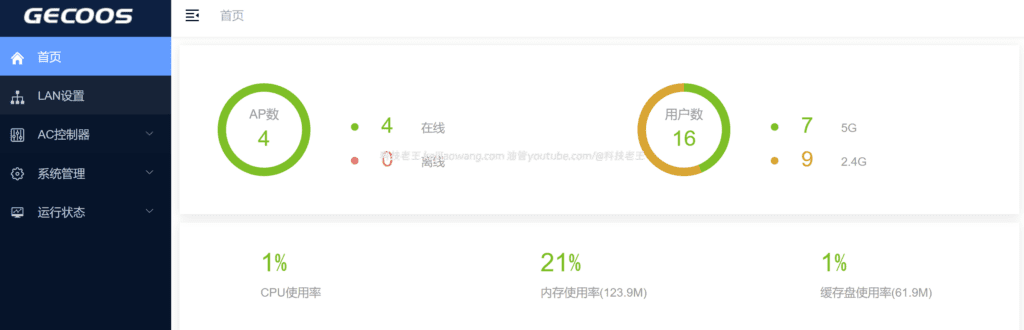
Xiaomi Redmi AX3000 (and CR880X series) can get enterprise-level features such as centralized management, seamless roaming, professional RF/SSID management, etc. after brushing third-party/collector AP firmware. And how do we work withcollective bargainingAC+APIt is more convenient for us to use it efficiently.
But be warned: Brushing and cracking the firmware involves modification of the underlying system, and there is a risk of bricking, losing the configuration or affecting the warranty.Please only operate the device if you own and have full control over it. Be sure to back up the original configuration and important data before operation, make sure the power supply is stable, and do not interrupt the power supply during the brushing process.
To view, please open this page in an internet environment with access to YouTube.
A full graphic description is provided below and can be read on.
Second, the preparation before brushing (important)
- Device: Xiaomi/Redmi AX3000 or CR880X series router (make sure the model is compatible with the firmware you prepared).
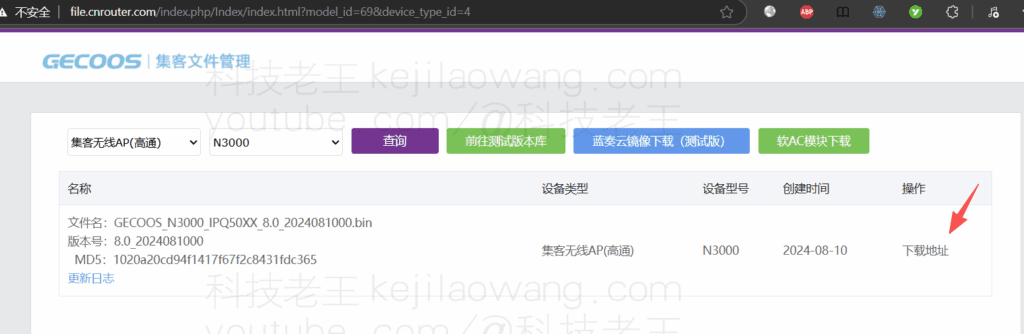
- Firmware: Hub firmware files (e.g.
ubi-JIKEAP_N3000.img) to confirm that the file name is correct. - Computer + network cable (recommended to connect directly to the router LAN)
- SSH client (PuTTY / WinSCP for Windows; Terminal for macOS/Linux)
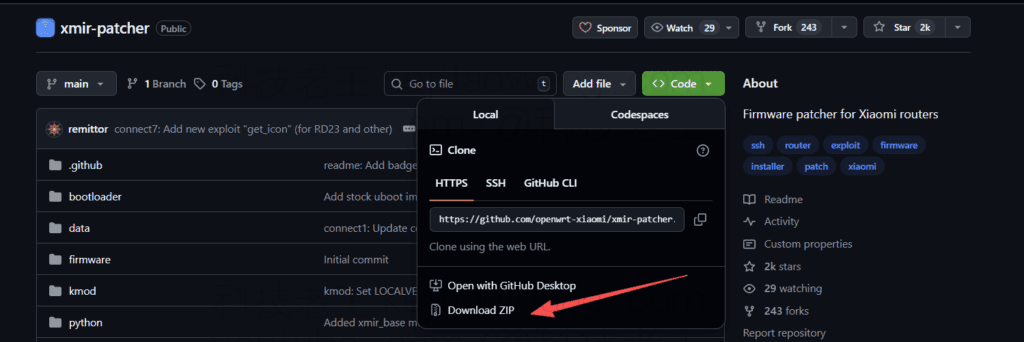
- xmir-patcher (GitHub): A tool for cracking/enabling SSH on some Xiaomi routers (as a pre-preparation, required or not depending on the firmware version and manufacturer's restrictions).
III. Confirmation of partitioning and switching (preparation for writing brush)
After SSH logging into the router, first confirm the current boot partition flag:
nvram get flag_last_successcome (or go) back 0 → The current system is in mtd18 partition (you need to switch the boot partition before flushing and writing).
come (or go) back 1 → Skip partition switching, upload firmware directly and brush.
If the return value is 0, performs a partition switch:
nvram set flag_last_success=1
nvram set flag_boot_rootfs=1
nvram commit
reboot
After the system reboots, SSH in again and confirm:
nvram get flag_last_successIf the display 1 That means the switch is successful, continue to the next step.
Uploading firmware and flashing to mtd18
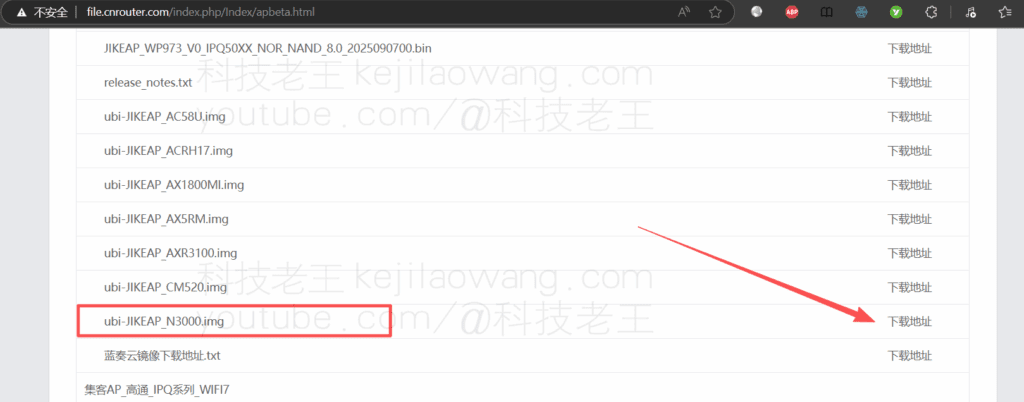
Download the transition low version firmware:ubi-JIKEAP_N3000.img
- Uploading firmware to the router using scp / WinSCP
/tmpCatalog, Example:
scp ubi-JIKEAP_N3000.img root@192.168.31.1:/tmp/2. Run the swipe command on the router:
ubiformat /dev/mtd18 -y -f /tmp/ubi-JIKEAP_N3000.imgPlease be patient during the flashing process and do not power off or reboot the device.
Fifth, after the flashing is completed, change the boot partition back to mtd18 (restore the default boot partition)
After the flushing is complete, change the boot partition back (step-by-step example):
# Modify boot partition to 0 (rootfs_1 is 1, stock rootfs is 0)
nvram set flag_last_success=0
nvram set flag_boot_rootfs=0
nvram commit
nvram set flag_boot_rootfs=0
Wait for the router to reboot and enter the new firmware environment (Hub AP management interface).
VI. Configuration and access to the AC after brushing and brushing with the latest firmware
- Browser access to the new firmware's default administrative address (which may be the
6.6.6.6(You can also check the router DHCP list or access a LAN with a management AC to dispatch the settings directly). - Incorporate the device into the Collector AC controller (following the same AC operating procedure you used), configure the SSID, roaming parameters, band power, channel planning, and so on.
- Test roaming, throughput, stability, and fine-tune for real-world environments.





 Lan Xiaobo (1952-1997), PRC politician Protocol Not Supported The client and server do not support the general SSL protocol version or cipher suite. This error is prompted
  kittyzero Hi, https://www.youtube.com/watch?v=eJUWQqCKfW0 I set it up and the extranet won't go out, not sure why, emailed you, thanks.
  ericjin211 Hi, tried this solution and found that foreign sites going through openclash proxy will not go through adguardhome, what could be the problem 🤔
  666 Tried the copy, no other problems, dns test has Hong Kong and Japan, not sure if it's a leak or not
  Loong2004 Hello, I feel that the program is very good, but the white hand is handicapped, can you have paid remote guidance, thank you!
  Chinese
  English
  Spanish
  French
  German
  Japanese
  Portuguese
  Italian
  Dutch
Dutch