



Total 3030 characters, estimated reading time: 8 minutes.
In recent years, more and more gamers choose to use X86 or ARM architecture devices to brush into the iStoreOS system to build their own soft routes. In the official website of iStoreOS, the officially supported devices mainly focus on X86 mainframes and some ARM solutions from Rexchip Microelectronics, and the available hardware options are relatively limited.
However, there is a “cost-effective” alternative is being used by many netizens to “waste utilization” ---Jingdong Cloud Wireless Bao Series RouterThese devices were originally launched by Jingdong's “Shared Broadband for Jingdou” program. These devices were originally launched by Jingdong “share broadband for Jingdou” project, used to run PCDN tasks to earn points rebates. However, with the project earnings continue to decline, many devices have been "back to the capital" or even no income, coupled with the official firmware features extremely emasculated, does not support scientific Internet access, plug-in expansion and other advanced operations.Brushing the soft routing becomes the only way outThe
Today we are going to brush up on this “retired machine”:Jingdong Yun Arthur AX1800 PROIt is powered by the Qualcomm IPQ6000 chip. It's powered by a Qualcomm IPQ6000 chip with a 4-core 1.2GHz 64-bit Cortex-A53 architecture, a 14nm process, a built-in 1.5GHz NPU, and 512MB of RAM. The stock system simply can't perform as well as theFlashing iStoreOS/OpenWRT instantly transforms it into a powerful soft router.,支持旁路由、插件拓展、Docker容器,堪称性价比天花板。然而,即便成功刷新固件,初始的overlay分区仅约5MB,安装多个插件时常提示空间不足。必须先扩展overlay分区,才能充分利用京东亚瑟云Pro的111G超大存储容量。可以查看<京东亚瑟云PRO刷机OpenWRT/iStoreOS成功后扩容方法总结>我们扩容之后再进一步去安装插件去使用。
To view, please open this page in an internet environment with access to YouTube.
A full graphic description is provided below and can be read on.
Let's get into today's hands-on tutorial:How to Brush U-Boot via TTL Serial Port and Install iStoreOS Firmware Successfully, completely unlocking the full potential of this router!
This tutorial applies to Jingdong Cloud Arthur AX1800 PRO router, the goal is to pass the TTL serial port flashing to U-BootThe following is a list of the most popular OpenWRT-based iStoreOS Firmware, realizing the soft routing system upgrades and unlocking more ways to play.The machine is a friend of mine on behalf of the brush so the machine to bring is already well brushed u-boot, so the following u-boot part is the integration of the network to search for resources to small partners as a referenceThe

🛠️ I. Disassembly Steps
- Peel off the bottom rubber gasketIf the screws are not in place, remove them with a screwdriver to expose the 5 screws.
- The top cover is held in place by snaps and is gently pried off with a plastic pry bar (be careful not to damage it violently).
- Pry it open and you'll find There are also two hidden screws on the top, this is the part that many teardown tutorials leave out and must be unscrewed to remove the body completely.
- Press firmly on both sides of the router housing to allow the network ports to retract inside and pull out the router motherboard.
🔌 II. Connecting the TTL serial port
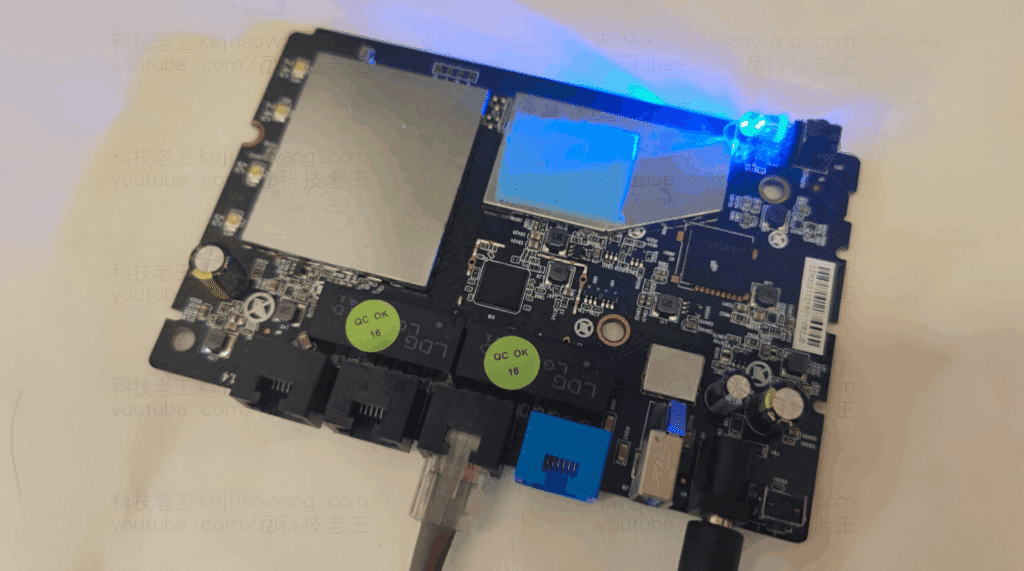
- A row of 4 holes is visible on the motherboard, in that order:V / R / T / GThe
- Recommended for Taobao purchases TTL Probe ClipThe metal holes can be clamped directly to the metal holes without soldering.
- Prepare a CH340 USB to TTL Moduleand set the jumper to 3.3V Mode.
- The wiring is as follows (note the correspondence)
| Router Pins | TTL Module Pinout |
|---|---|
| G (ground) | GND |
| R (RX) | TX |
| T (TX) | RX |
| V (power supply) | Don't connect. |
The CH340 driver is required for Windows systems and can be downloaded and installed from the Internet.
💻 III. Brush U-Boot (TTL mode)
- Plug the USB-to-serial module into the computer and prepare the U-Boot file using the Tftpd64 utility:
- Download Address:https://github.com/bfmen/uboot-ipq60xx-build
- make a copy of
u-boot.mbnto the root directory of Tftpd64. - Start Tftpd64 with Server Interface set to
192.168.10.1The
- Connect the LAN port of the router to your computer with a network cable.Set your computer's IP to 192.168.10.1.The
- show (a ticket) Putty::
- Serial connection (Serial)
- The baud rate is set to
115200 - Serial port number can be viewed in Device Manager (e.g. COM3)
- Plug in the router and during power-up press the EnterEnter
6018#Console. - Enter the following command to flash U-Boot:
tftpboot u-boot.mbn && flash 0:APPSBL && flash 0:APPSBL_1If the terminal prompts for multiple OK, indicating that the brush-in was successful.
📦 IV. Preparing the iStoreOS Firmware
- Visit the firmware download address:
- Download with
kernel-rootfsmodel or template.rarDocumentation. - Unpacking it will give you two
.binfiles, which need to be merged into one firmware file. - utilization UBin Merge Tool commander-in-chief (military)
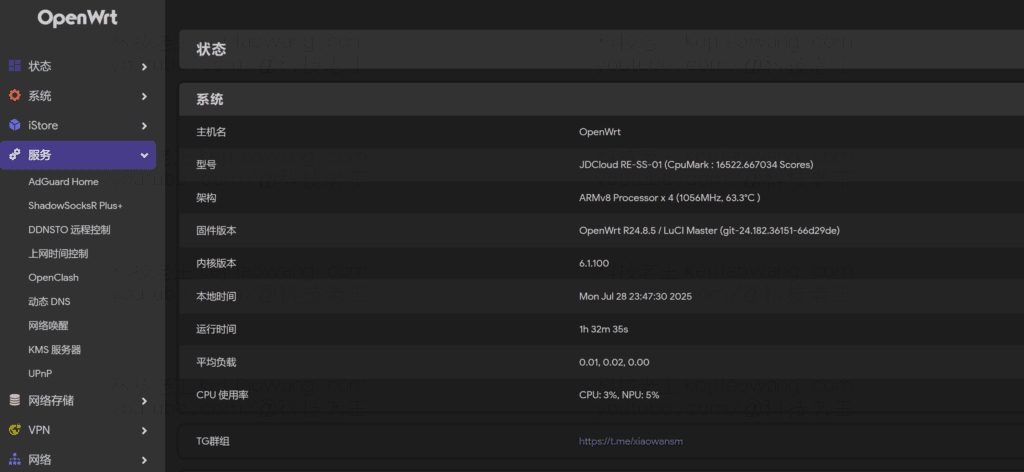
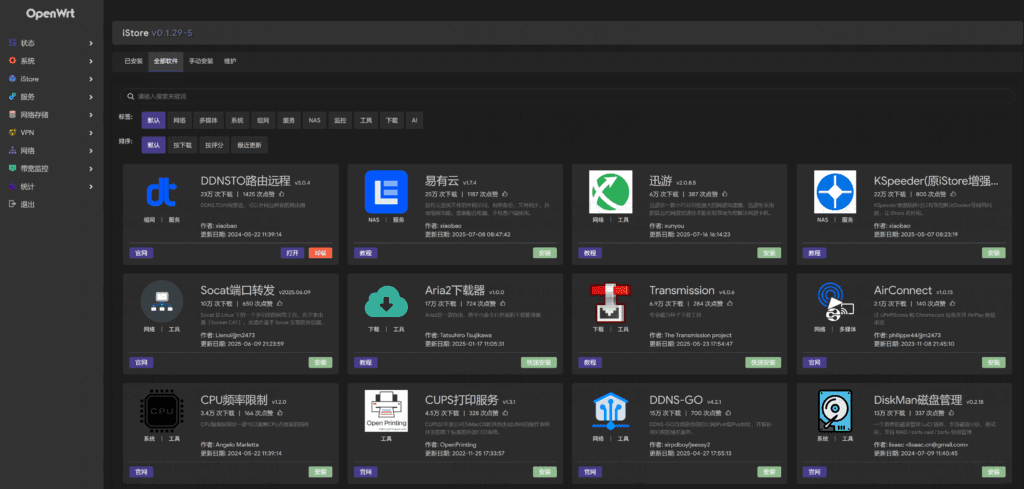
kernelcap (a poem)rootfsFile merge (search for “UBin tool” to get it). - For convenience unlike trying to find other firmware you can use the firmware that the blogger himself uses! openwrt-qualcommax-ipq60xx-jdcloud_re-ss-01Click to downloadThe diagrams are as follows, iStoreOS market is working normally, adguardhome, openclash are also installed normally without any obstacles.
🌐 V. Flashing the iStoreOS firmware
- Change the computer IP to
192.168.1.2The router's LAN port can be connected to the router's LAN port. - Press and hold the reset button and plug it into the power supply for three seconds and wait for the light to turn blue and release it.
- Start U-Boot's web flushing service:
httpd 192.168.1.1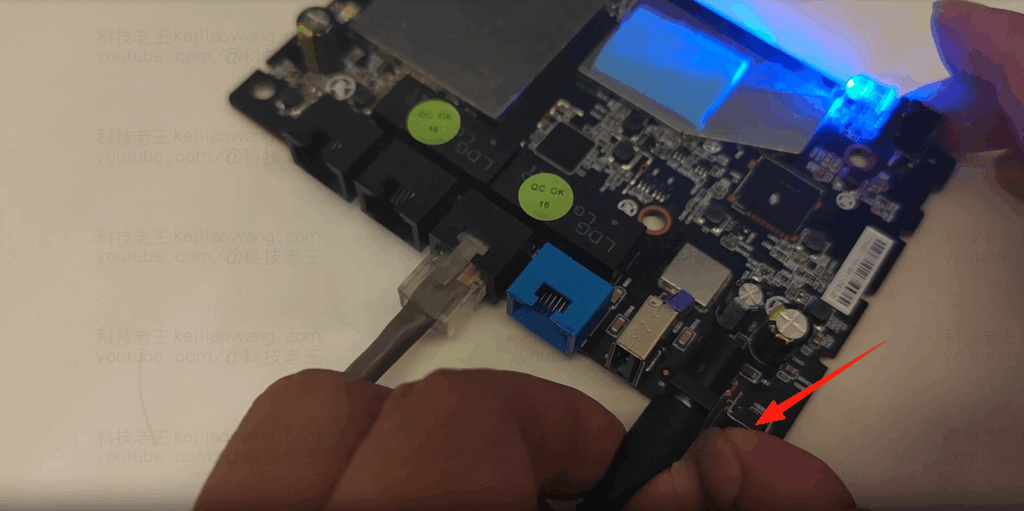
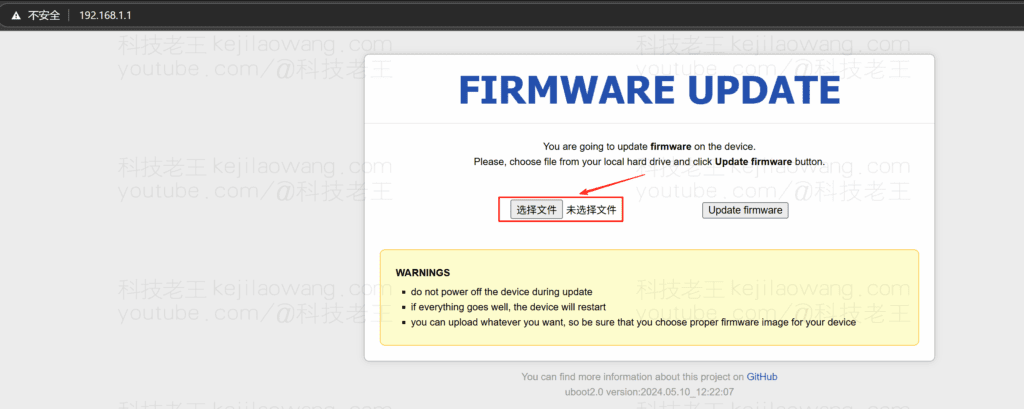
Open your browser to access http://192.168.1.1If you want to enter the Web Brush screen, you can do so by clicking on the "Enter Web Brush" button on the screen.
Upload the firmware you just merged .bin file, or download the firmware provided by the blogger to upload locally and click on Flush.
The router reboots automatically after the flashing is complete and the indicator light changes to Green Always On This means that the brush is successful.
🔑 VI. Logging in to iStoreOS
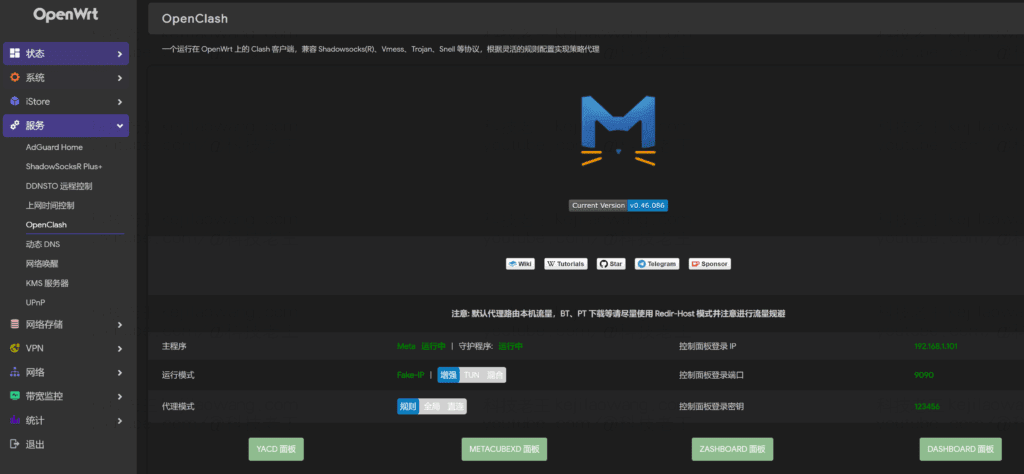
After successful flashing, visit http://192.168.5.1
- Default username:
root - Default password:
password




 Chinese
  English
  Spanish
  French
  German
  Japanese
  Portuguese
  Italian
  Dutch
Dutch