



Total 2919 characters, estimated reading time: 8 minutes.
In the environment of scientific Internet access, DNS configuration not only affects the speed of access, but also relates to ad filtering, privacy protection and even the accuracy of network traffic. Previously, whether combined with the combination of passwall or openclash combination have done videos and blogs, but there are still all kinds of problems, today we take OpenClash as an example, detailed analysis to explain how to pass the AdGuardHome + MosDNS combinationRealization Efficient DNS Triage and Ad Blocking(math.) genusAnd DNS anti-pollution, etc.The program is designed to help you to get the most out of the Internet, and to solve all the problems you encounter, ultimately leading to a faster and cleaner Internet experience.
Tip: Due to network restrictions, the YouTube videos on this page may not load in mainland China.
To view, please open this page in an internet environment with access to YouTube.
A full graphic description is provided below and can be read on.
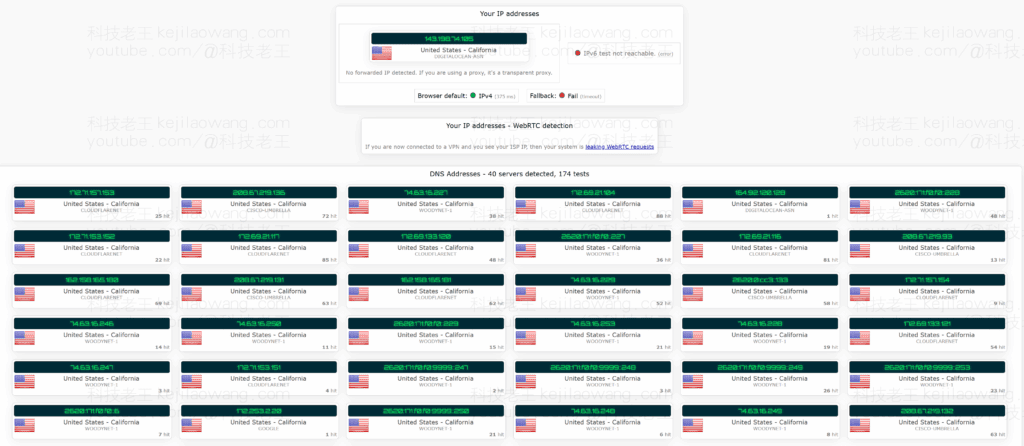
I. Brief description of the overall structure
The entire DNS request process is as follows:
Client → OpenClash (Scientific Internet Access) DNS Hijacking → AdGuardHome (Ad Filtering) → MosDNS (Smart Diversion) → Upstream DoH/DoT/DNS- AdGuardHome: Play the role of ad blocking, malicious domain name blocking and so on;
- MosDNS: Triage requests according to the rules (e.g., domestic DNS for domestic, foreign).remotely DNS) to improve resolution efficiency;
- OpenClash: Provides transparent proxy functionality and the ability to override DNS settings.
In this architecture, the client uses OpenClash, and DNS requests are first filtered by AdGuardHome and then parsed and shunted by MosDNS to reach the Ad Blocking + Intelligent Triage + Fast Response The goal of the
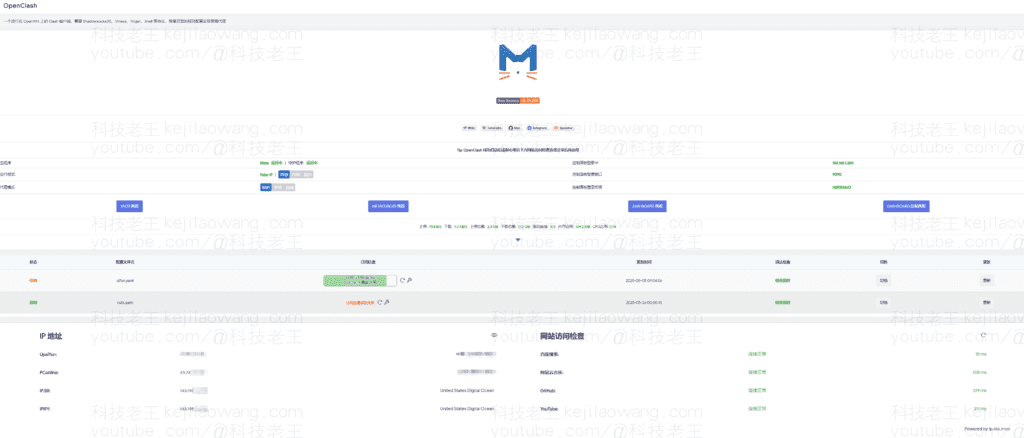
II. Detailed configuration steps
1. Setting up MosDNS
- listening port: It is recommended to set
5335.; - Configure forwarding upstream: Includes domestic DNS (e.g. 114.114.114.114) and foreign encrypted DNS (e.g. Cloudflare, Google);
- rule-based diversion: Use geosite maybe rule-set Rules, on demand
china-list,gfw-listetc; - running mode: It can be run as a system service and is guaranteed to take effect upon startup.

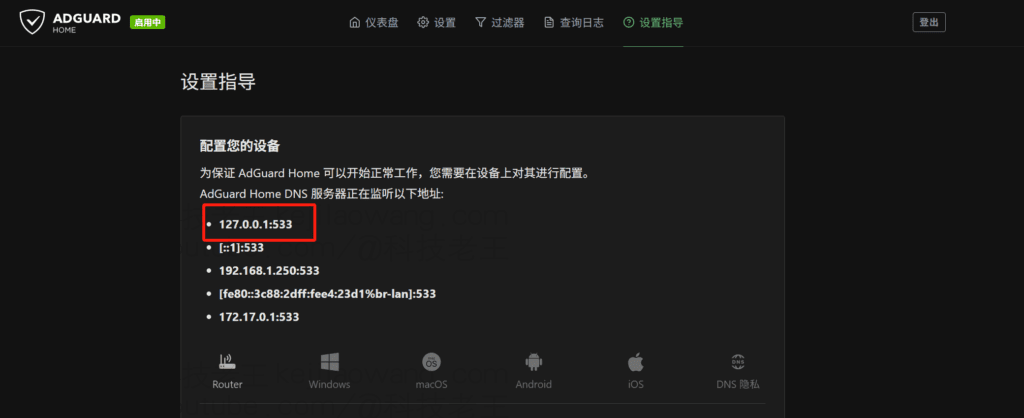
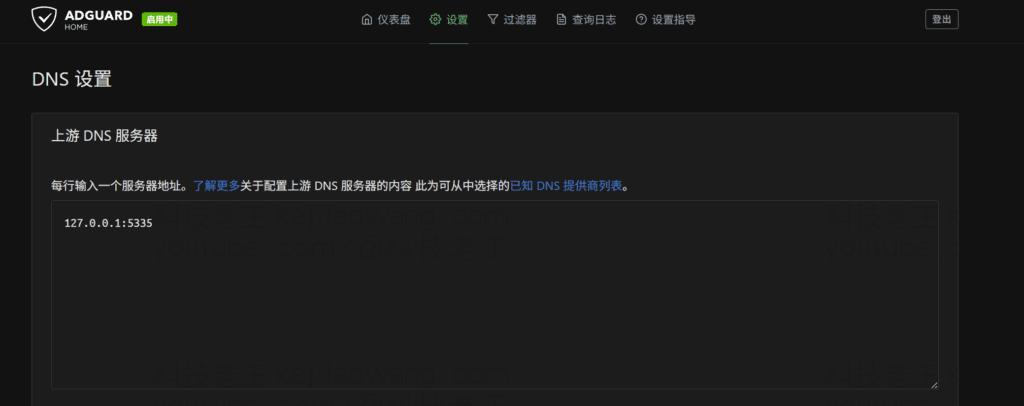
2. Setting up AdGuardHome
- listening port: Recommended use
533(default)53(It will be occupied by other services); - Upstream DNS: Set to
127.0.0.1:5335This means that it is pointing to MosDNS; - Reverse DNSThe custom DNS, private DNS, etc. are also uniformly set to
127.0.0.1:5335.; - logging function: Turn on query logging to facilitate verification of request flow and interception records.

3. OpenClash settings
exist OpenClash → Profile Tuning Center:
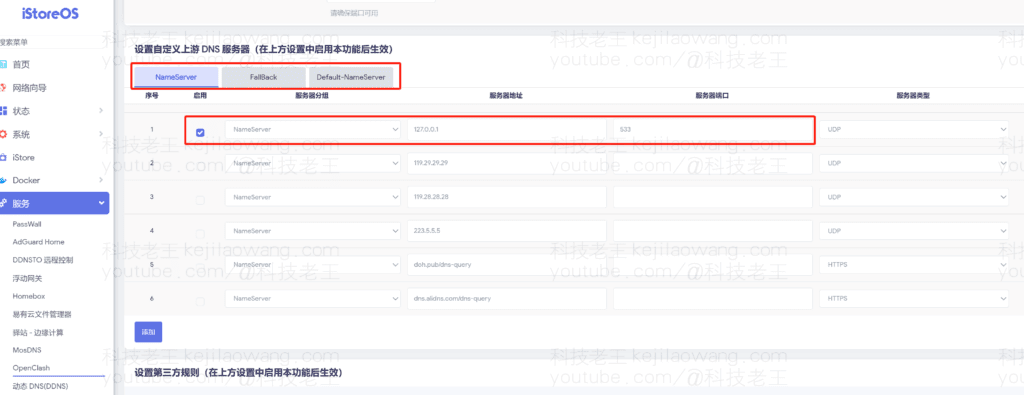
- NameServer / Fallback / DefaultDNS All set to
127.0.0.1:533The first is AdGuardHome; - prohibit the use of sth.
Local DNS HijackThe forwarding of the7874Because that's OpenClash's own built-in DNS forwarding port, it bypasses AdGuardHome and MosDNS; - If you turn on the
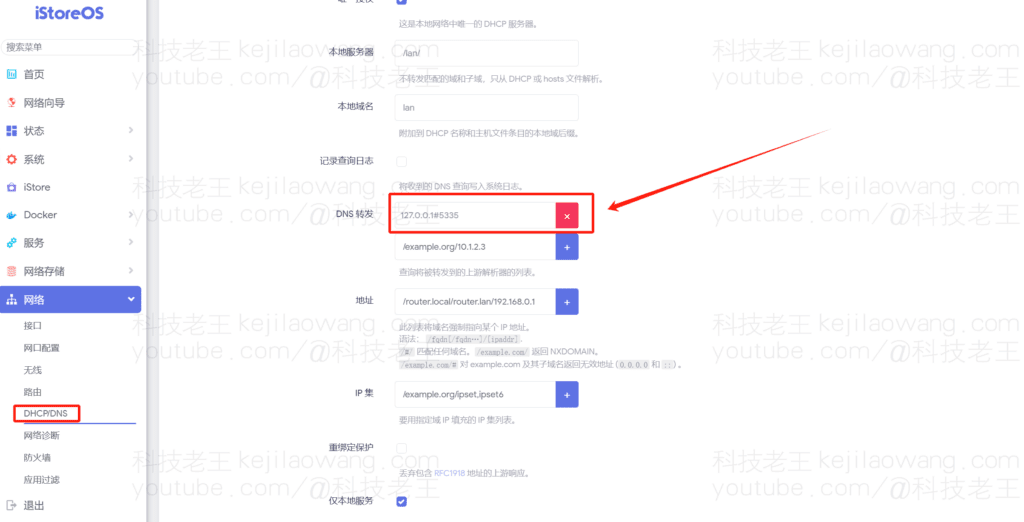
Dnsmasqforwarding, also make sure it points upstream to the127.0.0.1:5335(MosDNS) or127.0.0.1:533(AdGuardHome); - It's best to disable the DNS resolution plugin that comes with OpenClash and let AdGuardHome + MosDNS take over.
127.0.0.1:533That's AdGuardHome.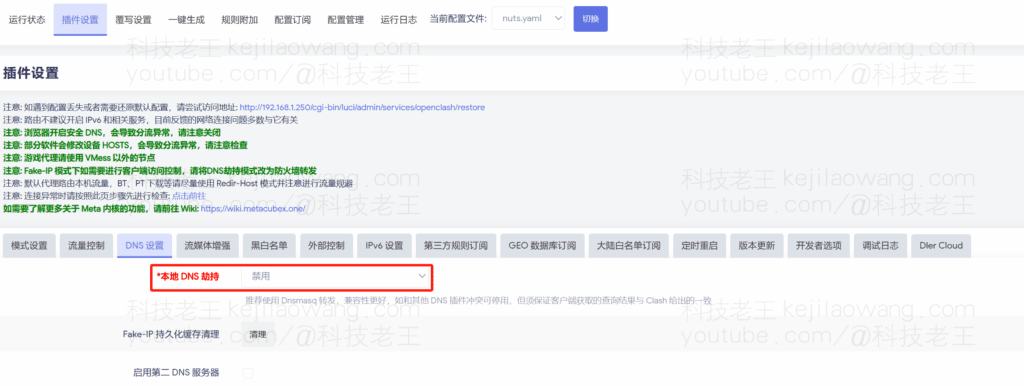
III. Verification of effectiveness
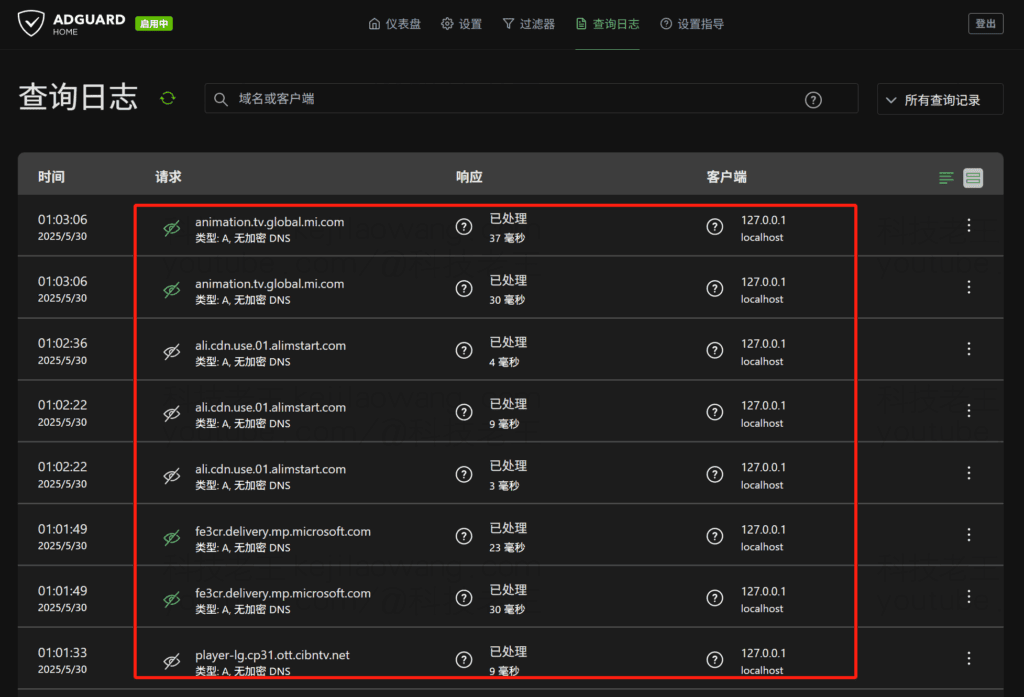
- AdGuardHome Query Log
The web console allows you to view all requests that have passed through, intercept logs, and redirection status. If the requests are logged, the configuration is in effect. - MosDNS Runtime Log
If the logging feature of MosDNS is enabled, you can also check whether requests are received from the command line, for example:
ss -lnpt | grep 5335Detailed DNS resolution as well as validation more related clicks
3. LAN device DNS pointing
It is recommended that the router's DHCP Assign DNS setting be set to LAN devices → AdGuardHome (533), avoiding the device skipping the local filter chain.
IV. Frequently asked questions
Q1: Why does adblocking not work?
Probable Cause:
- Local DNS hijacking is enabled in the OpenClash plugin settings, causing requests to be hijacked to the
7874.; - The LAN device is directly using another DNS (e.g. 8.8.8.8);
- AdGuardHome is misconfigured upstream and does not have access to MosDNS.
Q2: I can't see the request in AdGuardHome log?
Exclusionary items:
- Are the OpenClash DNS settings pointing correctly
127.0.0.1:533.; - Whether the device DNS setting is AdGuardHome;
- Is there another DNS service occupying port 53 or 533.
V. Conclusion
With the combination of OpenClash + AdGuardHome + MosDNS, you can not only realize millisecond DNS response, but also effectively filter ads and malicious domain names, meanwhile, with the diversion ability of MosDNS, you can reasonably divide domestic and foreign requests to ensure the prevention of DNS pollution and improve the access efficiency. This program has been verified to be effective in practice many times, you are welcome to try to build it, and refer to our previous tutorials for further information.make superiorConfiguration.
If you have any questions, please feel free to comment and share!






 Chinese
  English
  Spanish
  French
  German
  Japanese
  Portuguese
  Italian
  Dutch
Dutch