



Total 2638 characters, estimated reading time: 7 minutes.
In the previous video, we used the N1 Box Installation of iStoreOS SystemIn addition, Passwall, mosDNS and AdGuardHome are installed to complete a complete set of configuration process. To achieve efficient DNS resolution and smoother network access and DNS anti-pollution and ad blocking, the subsequent video demonstration is mainly based on the OpenWrt system, the purpose is to further test the practicality of the function and system stability. After a period of actual use and verification, all the functions are running stably and without obstacles. Today, we will continue to manually install OpenClash Scientific Internet Plugin under iStoreOS system, and combine mosDNS and AdGuardHome to complete a new set of complete tutorials for our friends' reference and use.
Due to the special nature of the software itself, OpenClash is not integrated into the official software application market of iStoreOS, so we need to install it manually. Before you start, make sure that your router's network is in a smooth state and has been able to access the Internet scientifically, so as to ensure that the subsequent plug-in kernel and related functions can be downloaded and updated normally.
To view, please open this page in an internet environment with access to YouTube.
A full graphic description is provided below and can be read on.
Step 1: We traveled to Are-u-ok website, download the corresponding version of the OpenClash plug-in to your computer for local use.
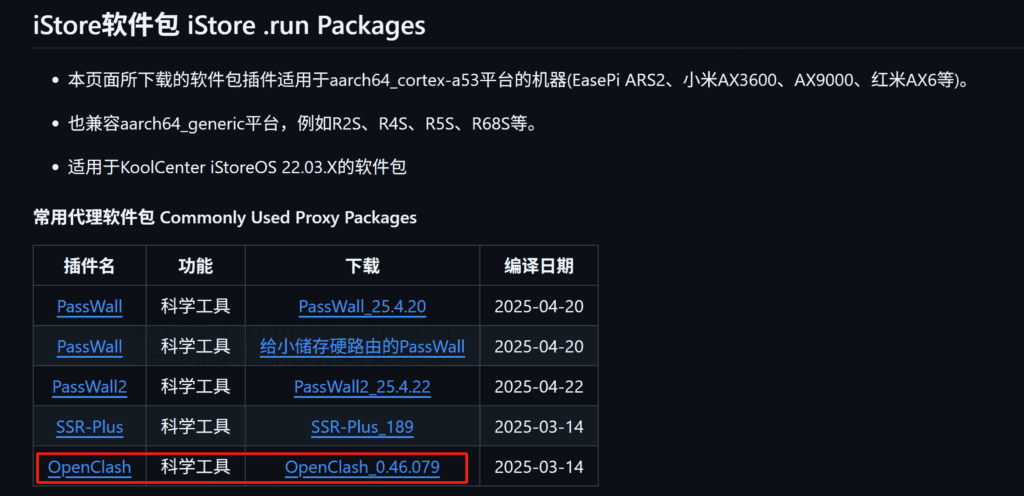
Step two:How to installTo the iStoreOS system
Once the download is complete, sign in to the iStore to open the App Store page and click the manual installationThen select the Openclash plugin package I downloaded and click upload file, or directly drag and drop the downloaded file into the page to complete the upload.Caveats:Please make sure that the current iStoreOS device has the ability to access external networks (scientific Internet access), otherwise the plug-in installation process may fail due to network problems.
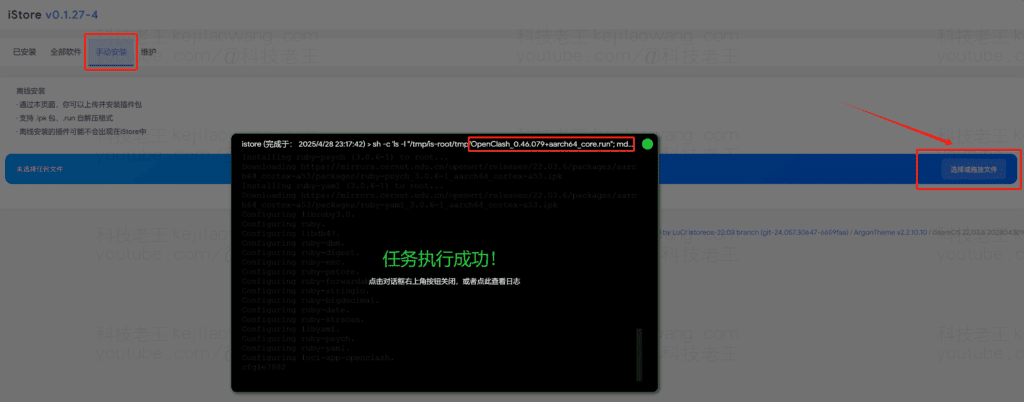
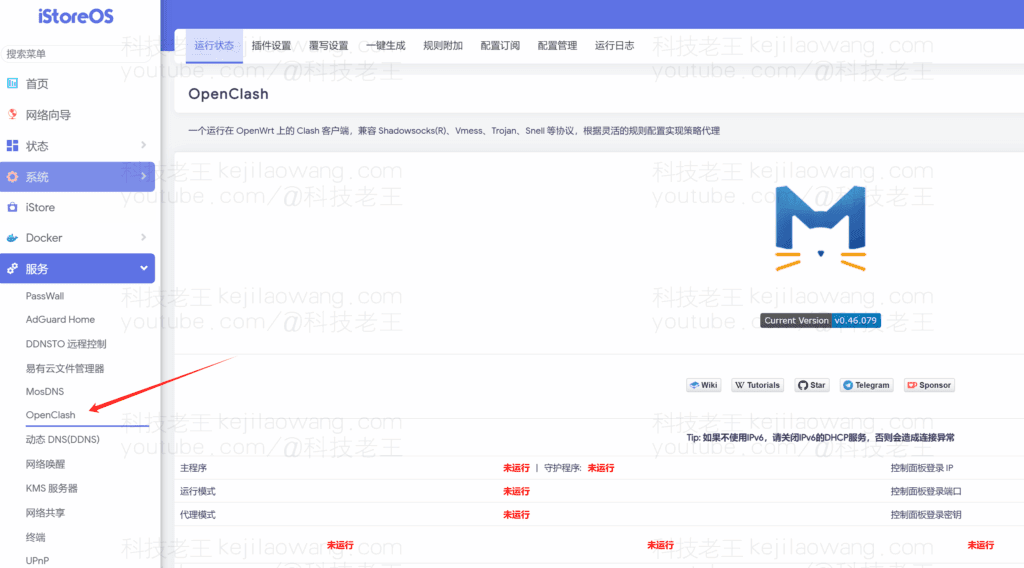
Wait for the plugin installation to complete, the sidebar will appear in the word OpenClash plugin, tap to configure the normal operation and use.
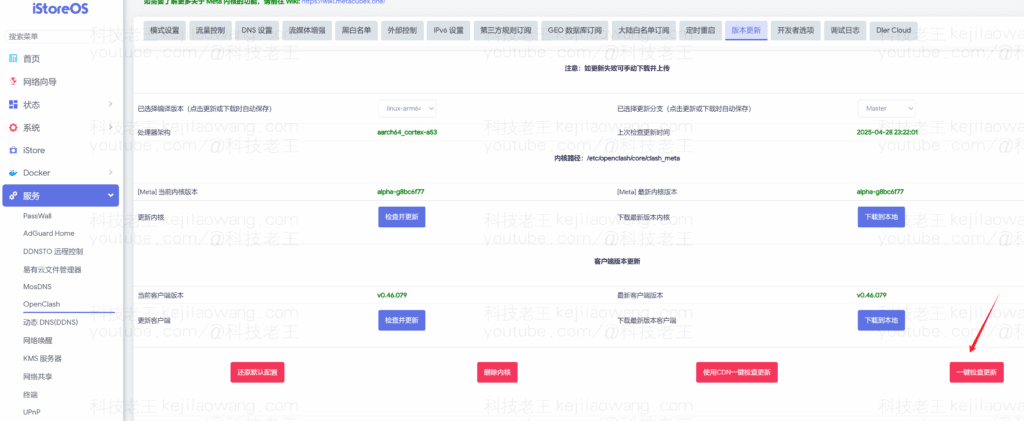
Next, go to "Mode Settings" in the plugin settings and select "Fake-IP Enhanced Mode". Then go to the "Version Update" interface to check the kernel version and perform the one-click update operation. For the general settings, such as "Third-party rule subscription", "GEO database subscription", "Continental whitelist subscription", etc., please check all of them to ensure that the policy can be updated properly and continuously.
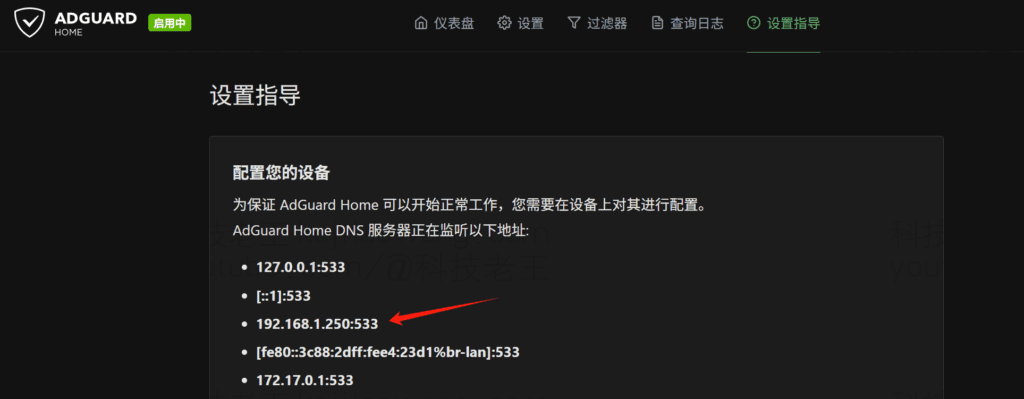
Next, in conjunction with the preMosdns+AdGuardHome+Passwall Realize Network-wide Adblock DNS Domestic and International Triage mode, we use Openclash instead of Passwall as a plug-in for scientific Internet access, we open OpenClash'smimeograph settingDelete all (NameServer FallBack Default-NameServer) default DNS configurations, set up a DNS policy with the IP of the soft route and AdguardHome as the listening port (refer to the following figure), and use the demo OpenWRT in the early stage. Use OpenClash + mosDNS + AdGuardHome to build a one-stop DNS magic system: scientific Internet access, advertisement blocking, and live resolution are all included! There are more detailed instructions, and we'll just apply the same pattern directly here.

Increase the node configuration subscription, if the airport directly use the clash subscription without doing subscription conversion, if the address does not support to ensure compatibility can be usedOnline Subscription ConversionIt is a guarantee that it can be used properly and effectively.

Update Subscription Selectfake-IPEnhanced mode, you can also use TUN or mixed mode compatibility is better, OpenClash use experience than PassWall more efficient network access, but also encountered encounter such as Openclash can't access home devices via DDNS in make-ip/Redir-Host mode etc. Such a problem, after many attempts to set up the final smooth solution, interested can refer to see if you also encounter such a problem, I hope to bring you help.
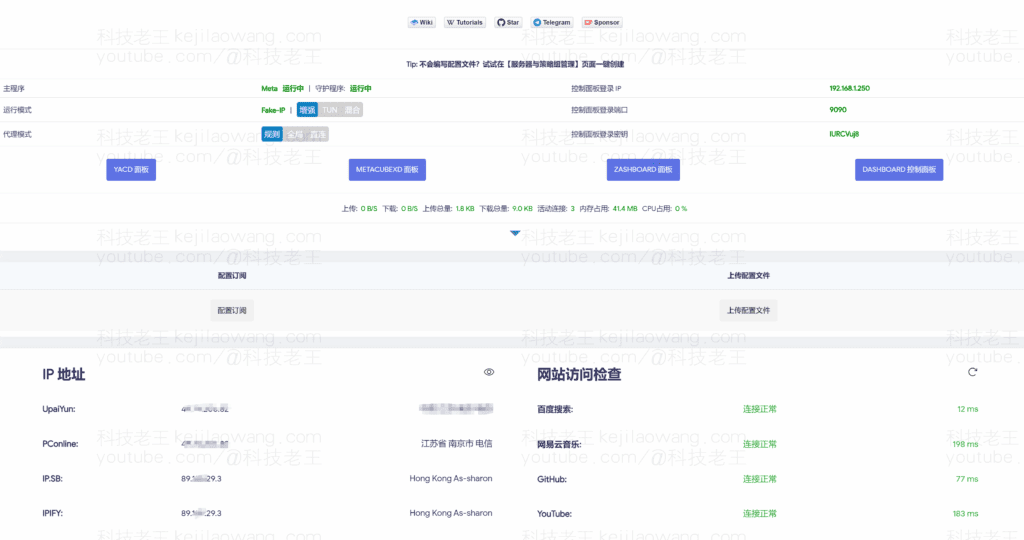
Everything is running normally, this time you can close the other proxy scientific Internet mode Start OpenClah, this time you can efficiently use your no DNS pollution, efficient network resolution smoother and no ads on the network.

For more and more detailed settings of OpenClash, please refer to:







 Lan Xiaobo (1952-1997), PRC politician Protocol Not Supported The client and server do not support the general SSL protocol version or cipher suite. This error is prompted
  kittyzero Hi, https://www.youtube.com/watch?v=eJUWQqCKfW0 I set it up and the extranet won't go out, not sure why, emailed you, thanks.
  ericjin211 Hi, tried this solution and found that foreign sites going through openclash proxy will not go through adguardhome, what could be the problem 🤔
  666 Tried the copy, no other problems, dns test has Hong Kong and Japan, not sure if it's a leak or not
  Loong2004 Hello, I feel that the program is very good, but the white hand is handicapped, can you have paid remote guidance, thank you!
  Chinese
  English
  Spanish
  French
  German
  Japanese
  Portuguese
  Italian
  Dutch
Dutch