



Total 2328 characters, estimated reading time: 6 minutes.
preamble
Playcloud, this once mining chain to make money in the small box, in the mining tide recede gradually forgotten. But don't throw it away, it's actually one of the cheapest and most cost-effective “soft routing hosts” available. It costs $20-30 from the idle fish, and by brushing the OpenWRT system in the last video, we can turn PlayCloud into a treasure and give it a new lease of life, so that it can take on the tasks of scientific Internet access and advertisement filtering for the home or office.
This article will detail, inLast Playtech Cloud Brush for OpenWRT After the system, howManual installation of AdGuardHome and OpenClash plug-insto build an efficient DNS de-advertisement and transparent proxy system, as we have previously, for example, usedN1Box BrushiStoreOSsystem, or use theAdGuardHome combined with OpenClash as well as MosDNS Have done a strong combination, but the playcloud these two plug-ins are not integrated into the system firmware only MosDNS, at the request of the fans it, we do another system complete tutorial as a supplement to the last video, manually install third-party plug-ins.
To view, please open this page in an internet environment with access to YouTube.
A full graphic description is provided below and can be read on.
I. Pre-requisites
Before you begin, make sure you have completed the following preparations:
- ✅ PlayCloud has been flashed with OpenWRT
- ✅ Being able to log in to the system via SSH (e.g., using the
root@192.168.1.1) or other SSH plugins - ✅ The system is connected to the Internet (can
ping (computing)(via extranet) Reference Notes - ✅ You have some basic operating knowledge of Linux/OpenWRT, or are attentive enough to follow blogs and videos.
Note: According to the firmware's ip settings it is important that our soft router is currently in a state where it can go over the wall to access the Internet scientifically.
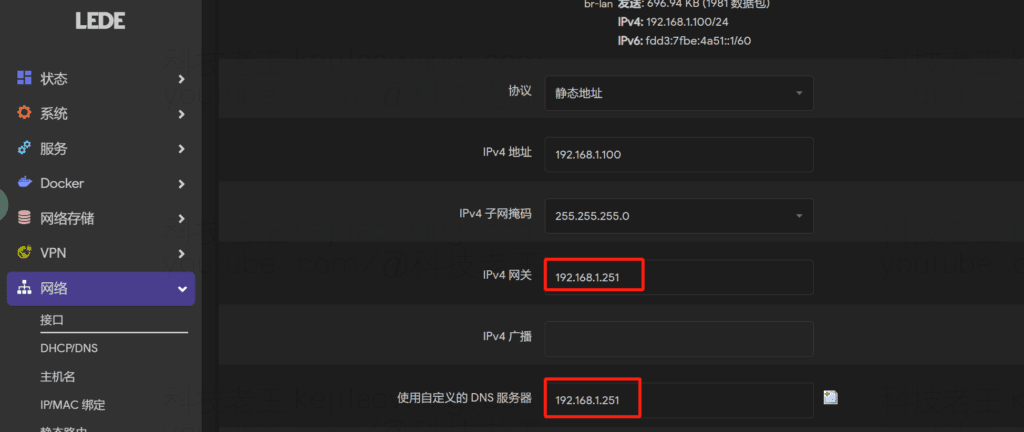
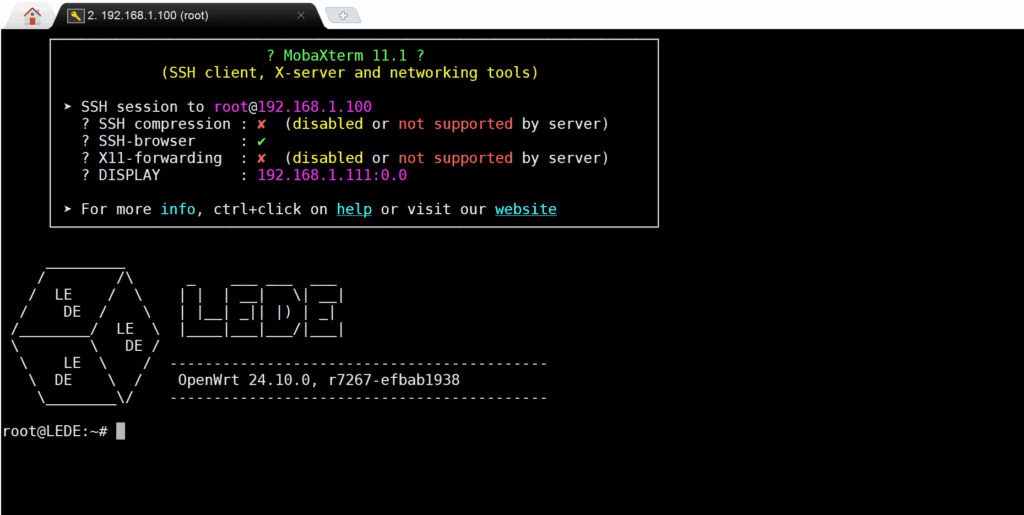
Update plug-ins as well as pull github source updates to smoother, after the preparation work is done, we can use the third-party SSH software to log into the playcloud
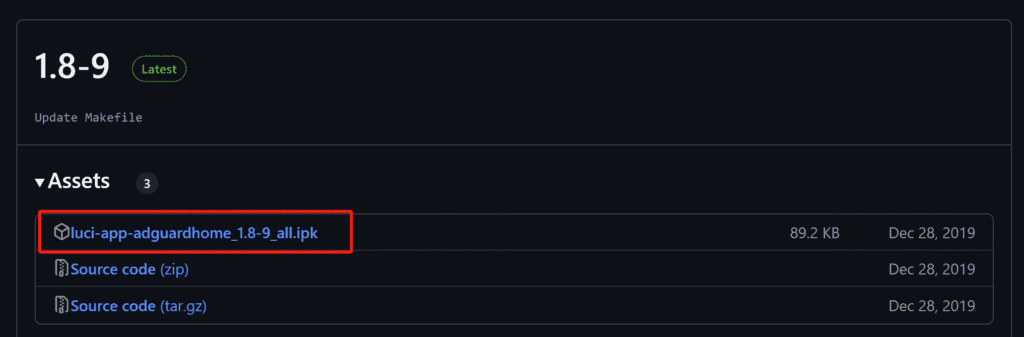
Install the AdGuardHome and OpenClash plug-ins.
https://github.com/rufengsuixing/luci-app-adguardhome/releases
https://github.com/vernesong/OpenClash/releases/tag/v0.46.086
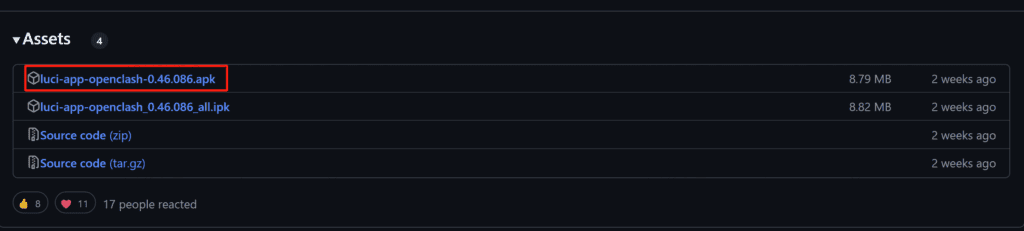
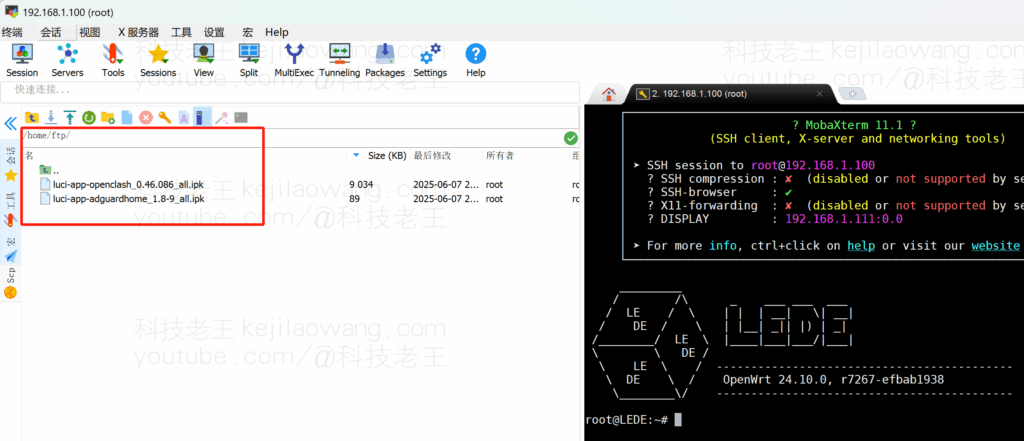
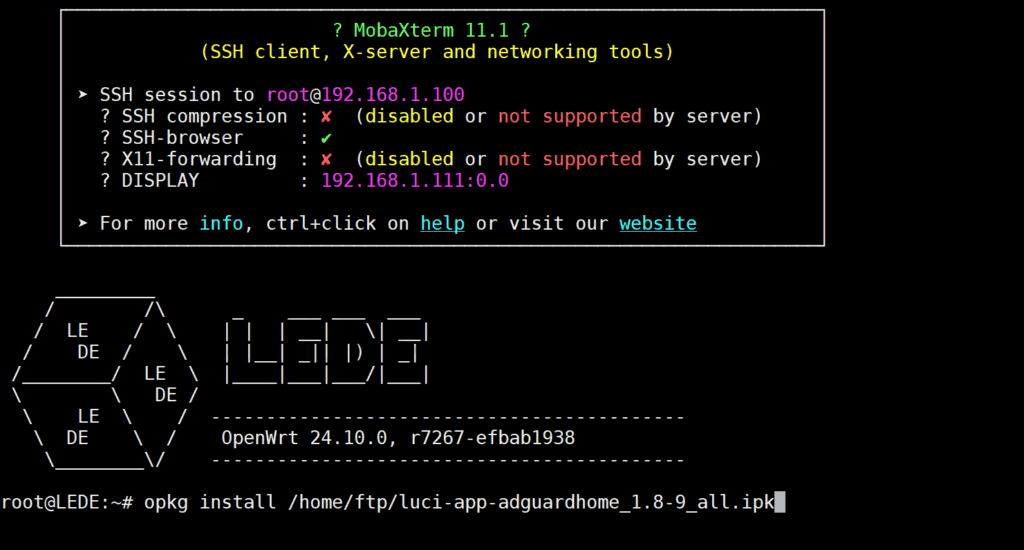
Use opkg install path.apk according to your path.
opkg update
opkg install coreutils curl ipset iptables iptables-mod-tproxy \
iptables-mod-extra kmod-tun libuci-lua luci-compat resolveip
If you encounter problems and need to uninstall the installed plug-ins or streamline the openWRT system to save resources, you can also refer to the previous section. Full tutorial for manually uninstalling OpenClash (and other plugins) for OpenWrt/iStoreOS
III. Common problems and solutions
🔹 Plugin installation failed?
It is possible that the dependency is missing or the OpenWRT version is too low, it is recommended to run it first:
opkg update
opkg list-upgradable
IV. Writing at the end
With the above steps, we have successfully deployed on the PlayCloud AdGuardHome + OpenClash and the self-containedMosDNSWith the powerful combination of ad filtering, intelligent DNS shunting and scientific Internet access, the system is a complete solution for low-budget users to build a “home Internet enhancement center”. With stable operation and flexible configuration, this system is very suitable for low-budget users to create a "home network enhancement center".
If you also have a slag playcloud, don't waste it, get your hands on it and brush it up, it will be the most valuable part of your network architecture.
For more details on how to use and set up the program, please refer to Using the AdGuardHome + MosDNS Realizes Efficient Ads Filtering and Intelligent DNS Triage for Scientific Internet Access - Detailed Explanation (Take OpenClash as an Example)






 Lan Xiaobo (1952-1997), PRC politician Protocol Not Supported The client and server do not support the general SSL protocol version or cipher suite. This error is prompted
  kittyzero Hi, https://www.youtube.com/watch?v=eJUWQqCKfW0 I set it up and the extranet won't go out, not sure why, emailed you, thanks.
  ericjin211 Hi, tried this solution and found that foreign sites going through openclash proxy will not go through adguardhome, what could be the problem 🤔
  666 Tried the copy, no other problems, dns test has Hong Kong and Japan, not sure if it's a leak or not
  Loong2004 Hello, I feel that the program is very good, but the white hand is handicapped, can you have paid remote guidance, thank you!
  Chinese
  English
  Spanish
  French
  German
  Japanese
  Portuguese
  Italian
  Dutch
Dutch