



Total 2141 characters, estimated reading time: 6 minutes.
随着科学上网和在谷歌上浏览YouTube的需求日增,众多人士开始寻求性价比高、成本低的软路由方案。PlayCloud (computing),一款曾因迅雷策略失败而被视为“矿渣”的产品,现意外成为利用废旧物资的珍品,除了本文安装openwrt科学上网,我们还继续手动安装科学上网多功能插件进阶,感兴趣我们可以选择观看。
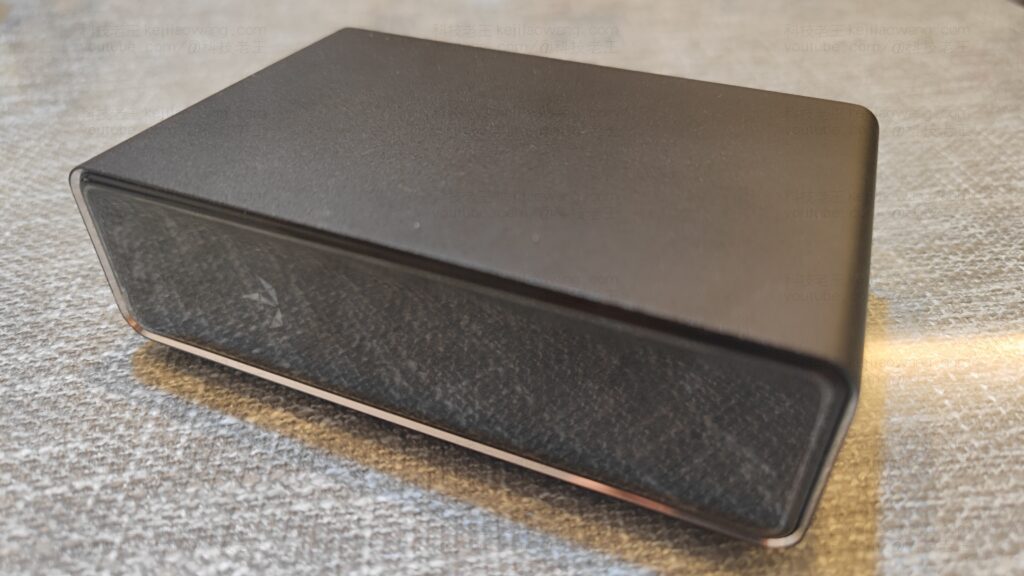
本文将详细阐述如何仅花费几十元购买玩客云,并刷入OpenWRT系统,以实现科学上网并创建成本最低的软路由方案。对性能要求不极高的用户可考虑尝试,作者本身200M宽带使用下仍感轻松自如,尤其是考虑到玩客云支持千兆局域网LAN。
To view, please open this page in an internet environment with access to YouTube.
A full graphic description is provided below and can be read on.
I. Why choose PlayCloud?
1. Ultra-low prices
Currently on second-hand platforms such as SaltfishPlayCloud prices are generally in the $20-$30 rangeThe price/performance ratio is much lower than any mainstream soft routing device.
2. Hardware configuration is simple enough to use
- CPU: Amlogic S905 (4-core Cortex-A53)
- RAM: 1GB DDR3
- Storage: 8GB eMMC (some 16GB)
- Network: Gigabit LAN port (some models require USB to Gigabit)
- USB port supports external network card or USB flash drive.
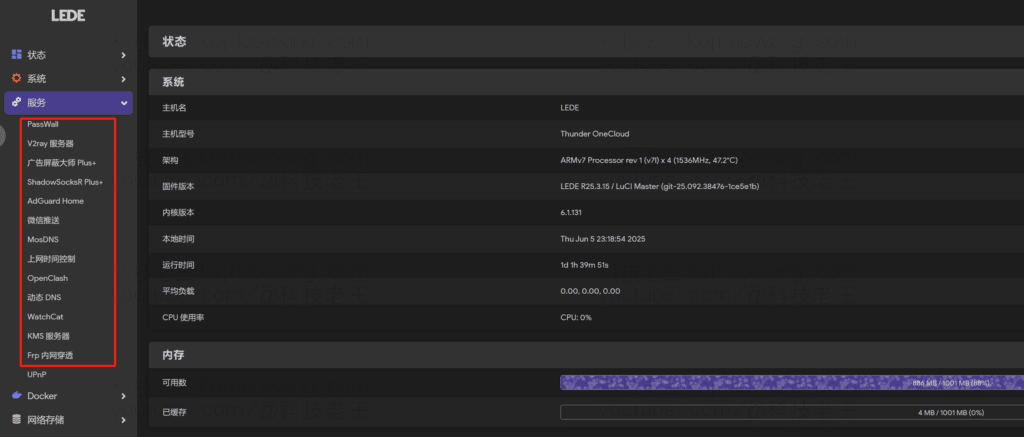
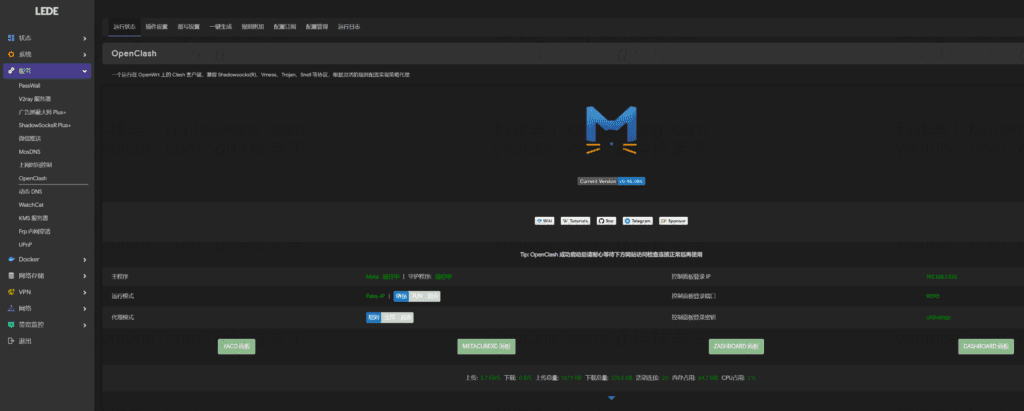
It's not high-end, but it's perfectly adequate for dealing with sing-box, Xray, OpenClash+mosDNS+Adguardhome combinations, which are lightweight scientific Internet proxies with small bandwidth.
3. Mature community support
PlayCloud belongs to the typical “slag turnaround” device, there are a lot of brushing information and firmware support in domestic and foreign forums, Telegram groups, almost “the most mature recycling device”. It is not limited to the use of OpenWRT for scientific Internet access as the author has written here.
II. Precautions Preparations
Just the first time to brush the need for short contacts (different hardware version corresponds to the following operation), later brush any firmware, power on theStraight up.Next to the round hole to turn on the machine press three seconds and wait for the light to blink to brush again
Applicable to PlayCloud hardware version V1.0-V1.3 version of other firmware collection, there is a need to try further ( Links to Software Tools Used )
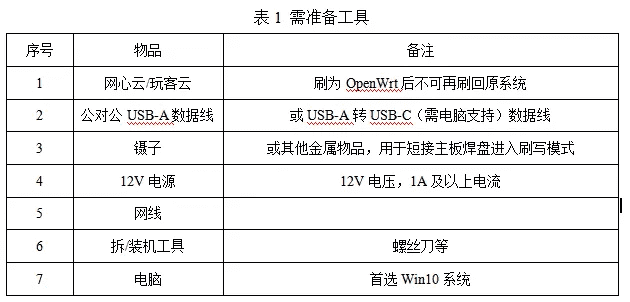
2. Preparation tools
3. procedure
3.1. terminate a telephone service
Gently pry up the cover plate on the interface side (the cover plate is glued together with the host computer with double-sided tape), remove the cover plate, use a screwdriver to unscrew the 6 screws (keep it safe!!!) After removing the cover, use a screwdriver to unscrew the 6 screws (keep it safe!!!), and pry open the interface baffle to extract the motherboard.
The short contact points, which correspond to the hardware of V1.0 version and V1.3 version are different, refer to the following figure.
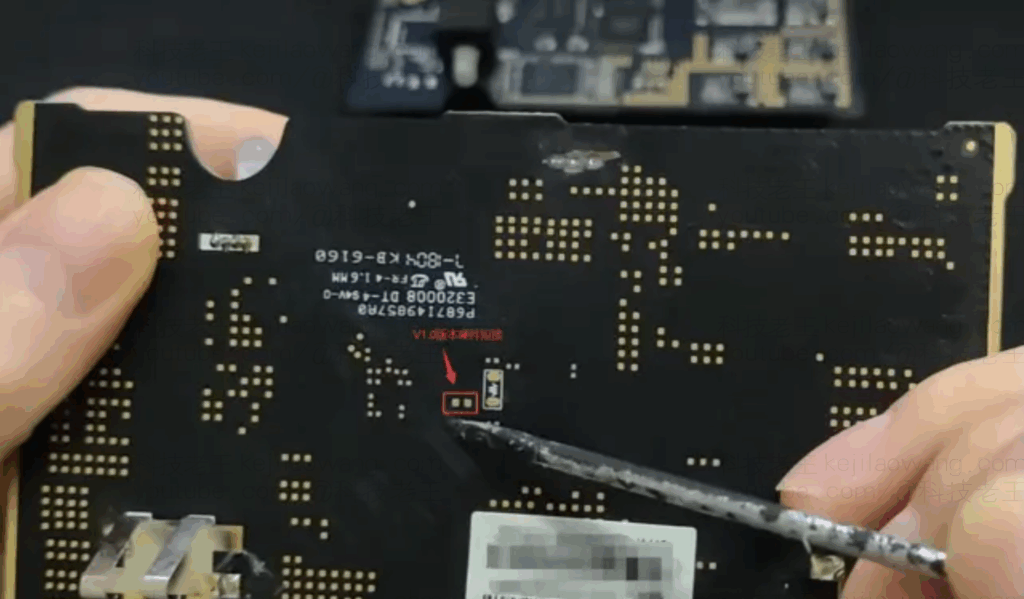
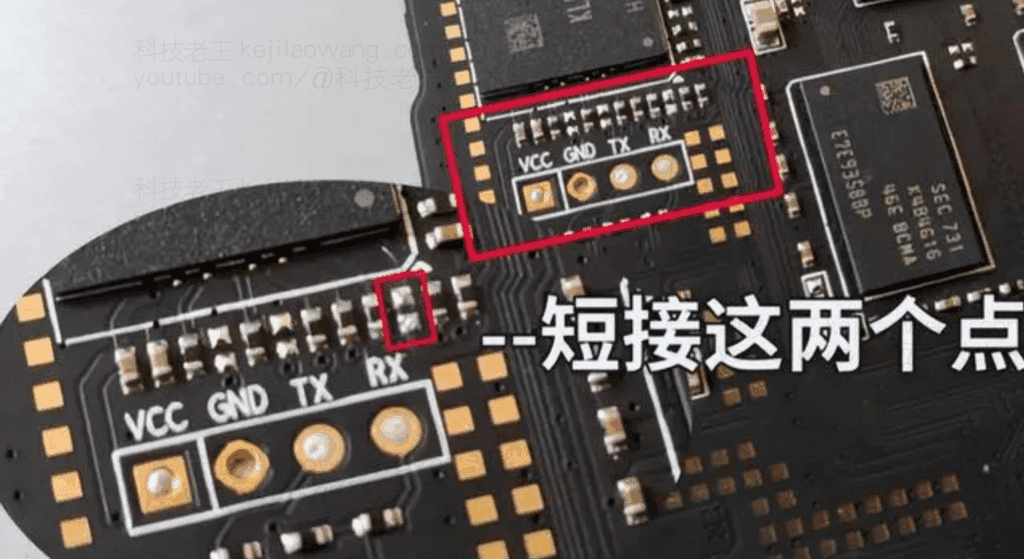
3.2. Flashing OpenWrt Firmware
OpenWrt flashed directly into the body emmc
- Plug in the USB male-to-male cable, and the USB cable for the PlayCloud should be plugged into the USB port closest to the HDMI port;
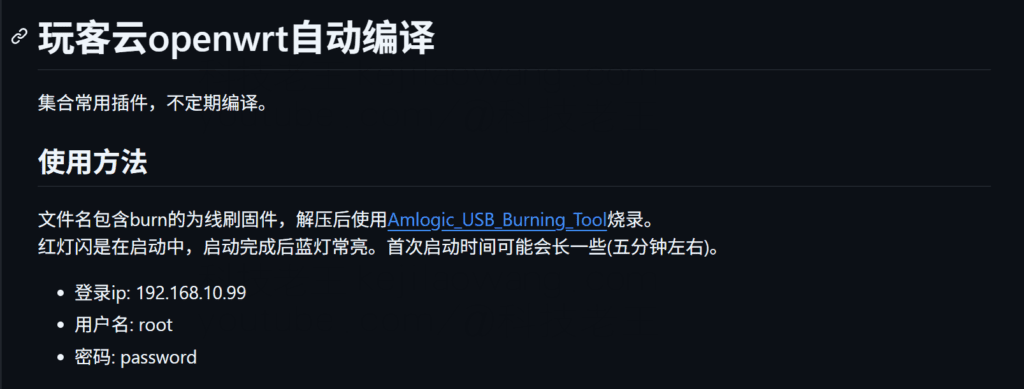
- Open the software [Amlogic_USB_Burning_Tool_v2.2.4], import the OpenWrt system that needs to be brushed [straight emmcOpenwrt Firmware Download And check “Erase flash” and “Erase bootloader”, as shown in the picture.
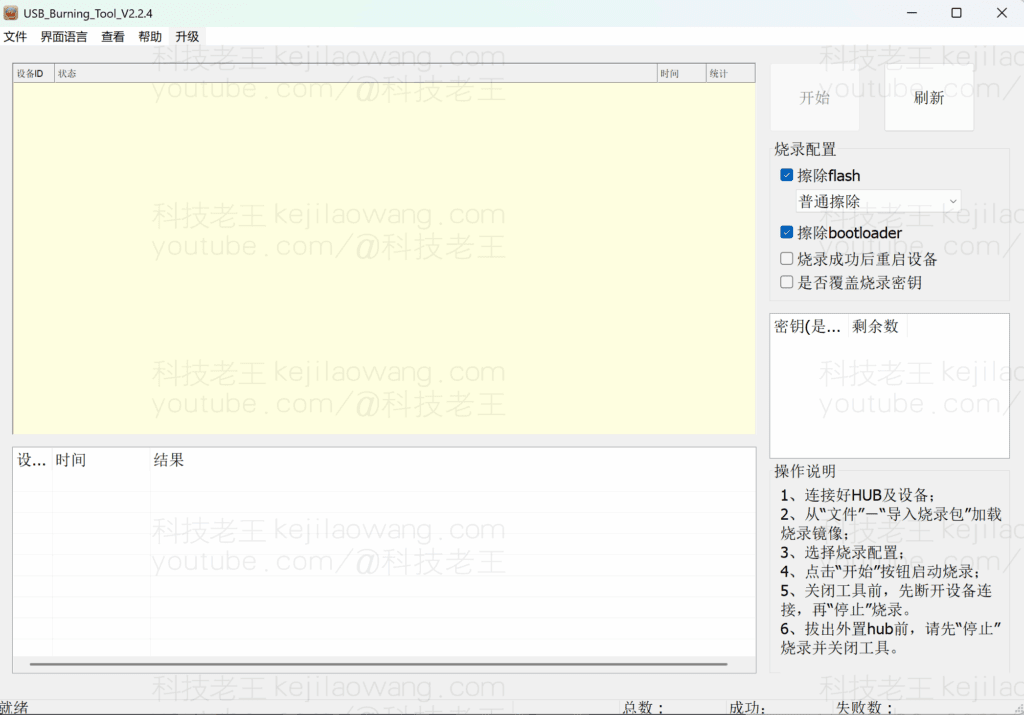
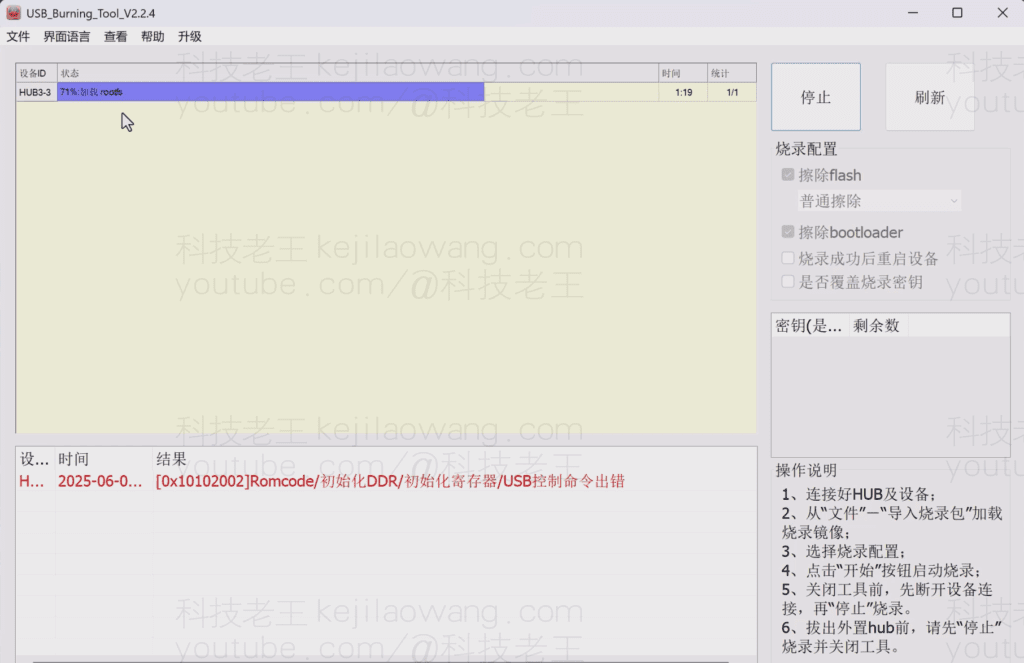
When [Amlogic_USB_Burning_Tool_v2.2.4When “Connection Successful” is displayed, click the “Start” button. Remove the tweezers, plug in the 12V power supply, and [ ].Amlogic_USB_Burning_Tool_v2.2.4The progress bar will start automatically, and it will show “Burning Successful” when it is finished. Click “Stop” to disconnect the USB connection, close the software, disconnect the USB connection, the burning is completed. Unplug the power supply, re-plug the power can be used normally, OpenWrt system login IP for 192.168.10.99, the account are root password for password!






 Lan Xiaobo (1952-1997), PRC politician Protocol Not Supported The client and server do not support the general SSL protocol version or cipher suite. This error is prompted
  kittyzero Hi, https://www.youtube.com/watch?v=eJUWQqCKfW0 I set it up and the extranet won't go out, not sure why, emailed you, thanks.
  ericjin211 Hi, tried this solution and found that foreign sites going through openclash proxy will not go through adguardhome, what could be the problem 🤔
  666 Tried the copy, no other problems, dns test has Hong Kong and Japan, not sure if it's a leak or not
  Loong2004 Hello, I feel that the program is very good, but the white hand is handicapped, can you have paid remote guidance, thank you!
  Chinese
  English
  Spanish
  French
  German
  Japanese
  Portuguese
  Italian
  Dutch
Dutch