



Total 2314 characters, estimated reading time: 6 minutes.
Youtube Video TutorialsClick to enter
In the previous post, we successfully utilized the Cloudflare DDNS Efficient dynamic domain name access to Flying Niu NAS has been realized, completely bidding farewell to the FN Connect Speed limitations in the free version. The speed bottleneck is solved, but we have two more goals:suretycap (a poem)convenient and fastThe
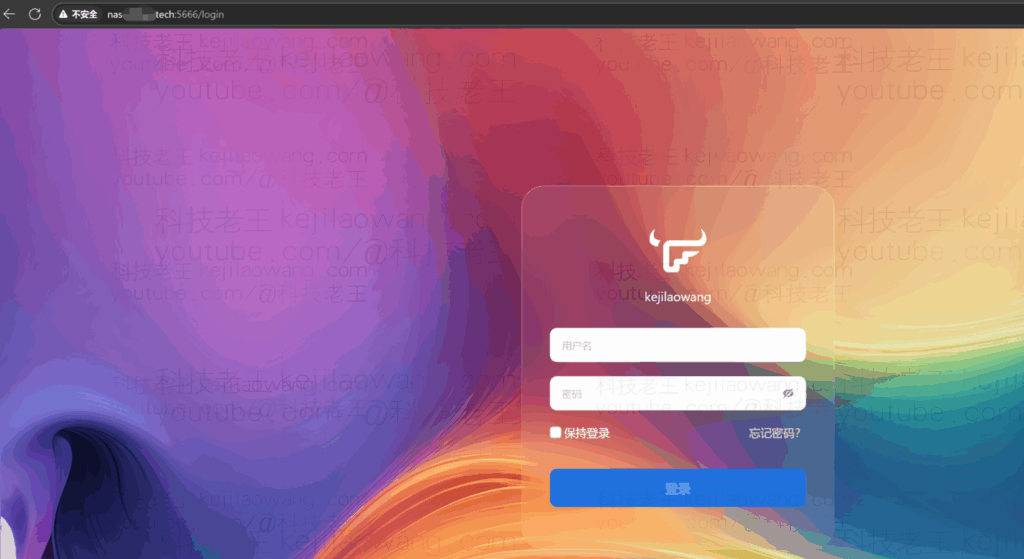
The previous setup was based on the HTTP Explicit Accesswhich is a security risk. Adding to the headache is the fact that each visit requires you to enter a string of port numbers after the domain name, as in the case of the nas.test.com:5001(math.) genusIt's neither elegant nor convenient.The
今天,我们将对这套高速访问方案进行全面升级:通过引入Cloudflare SSL Certificates实现端到端加密,并借助Cloudflare的strategy function彻底免除端口号登录,从而实现无缝远程体验。这一切基于拥有公网IP的前提。对于没有公网IP或不愿使用官方方案的情况,我们也通过Cloudflare建立隧道连接,仅需一个域名即可创建专属的安全且高效的连接 <告别无公网 IP 焦虑:用 Cloudflare Tunnel / Zero Trust 打造真正可分享的飞牛fnOS NAS 免费远程访问方案> 同样我们利用Cloudflare全球CDN高效实现既安全又快速高效的网络访问,并且默认就实现了TLS加密访问,也是非常的安全。
Core Upgrade: Combination of Security and “Port-Free” Convenience
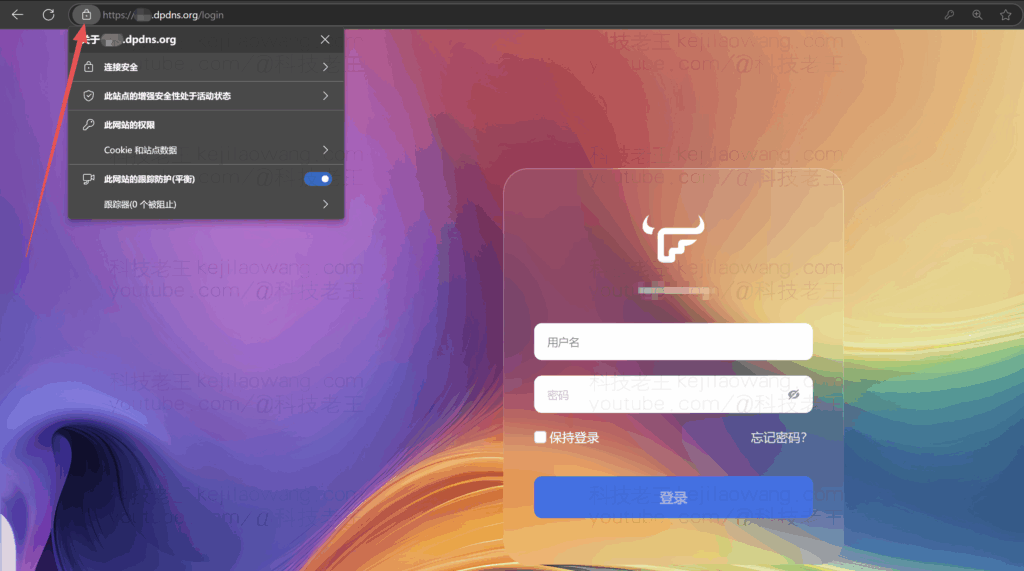
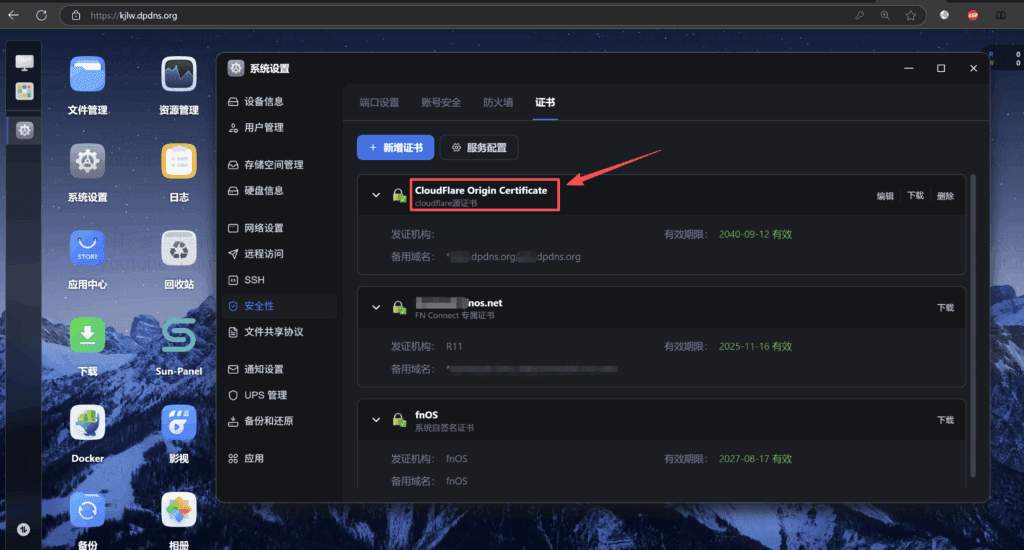
Step 1: Apply for Cloudflare SSL certificate and import it into FlyingNiu NAS to ensure the whole process is encrypted.
In order to upgrade your data transfer from plaintext HTTP to encrypted HTTPSWe need to deploy SSL/TLS certificates. Cloudflare provides Origin Server certificates, which encrypt the connection between Cloudflare and yourFeiniu NASThe connection between the
To view, please open this page in an internet environment with access to YouTube.
A full graphic description is provided below and can be read on.

Core Operations:
- exist Cloudflare Console(used form a nominal expression) SSL/TLS → Origin Server Create and obtain the **Origin Certificate** and the **Origin Certificate** in the Private KeyThe
- Log in to your Feiniu NAS, find in the system settings SSL/TLS or Securityrelated configuration options.
- Gets theprivate keycap (a poem)certificatesThe content is pasted and imported into the Flying Bull NAS.
- opensFlying Bull NAS's HTTPS/SSL services and ensure that yourprimary routewill alreadymapping portCorrectly mapped to the corresponding HTTPS service port of the NAS.
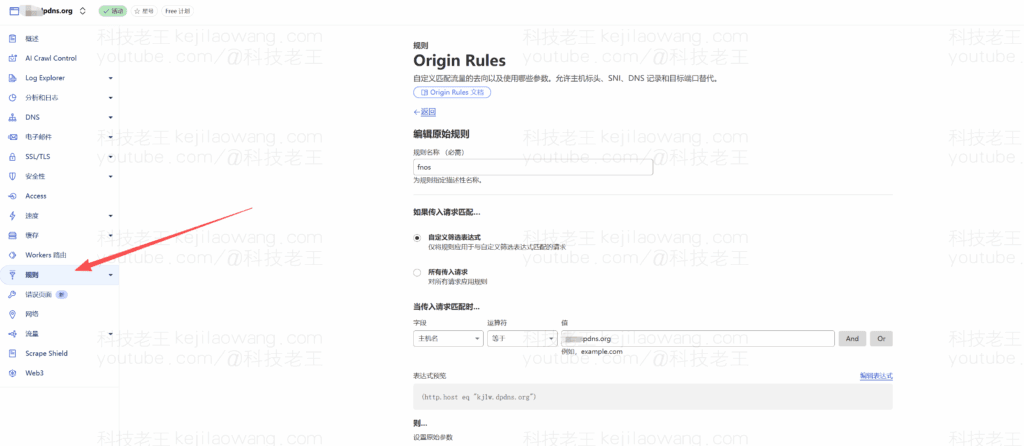
Step 2: Utilize Cloudflare's policies to achieve “pay-as-you-go” port-free login (key step)
Even with HTTPS enabled, if your NAS is serving on a non-standard port 443 (such as the common 5001, 5006, etc.), the browser will still ask you to manually enter the port number.
The Cloudflare policy feature (or reverse proxy) is the “magic” that solves this problem. It allows your NAS to recognize when a user enters only the domain nameWhen the request is made, it should be automatically directed to the web management interface, thus enabling theport number free accessThe
Key Configuration Ideas:
We will configure a rule so that when a browser accesses the default HTTPS port (443), the NAS can automatically redirect the traffic to its own web service port (e.g. 5001), thus hiding the port number.
Core Operations:
- Enter Cloudflare's Rule Settings → Customize Filter Expressions→Hostname = domain name (value)→Destination port = own web service port
- Add a new rule:
- Protocols/Domains: set to HTTPS, and place your second-level domain name (e.g.
nas.test.com) Fill in asSource hostnameThe - Objective: Directing traffic to the Flying Bull NAS Web management interface services(i.e., the internal IP of the Flying Niu NAS and its web service port, for example)
localhost:5001).
- Protocols/Domains: set to HTTPS, and place your second-level domain name (e.g.
Configuration results:
Now you no longer need to enter: ❌ when accessing your NAS. https://nas.test.com:5001
Instead, just type: ✅ https://nas.test.com
Your remote access experience is instantly enhanced:Secure, high-speed, and say goodbye to the hassle of port numbers once and for all!

The ultimate experience: secure, high-speed, convenient and truly elegant access to the private cloud
With the above configuration, your Flying Bull NAS remote access solution has been upgraded to the highest level:
- Faster: Rely on your home's upstream bandwidth and fear no speed limitations with the free version of FN Connect.
- Data security: the whole distance HTTPS EncryptionThe security of your login information and data transmission is guaranteed.
- [Emphasis added] Easy login: Realization through strategy port number free accessJust type in
https://nas.test.comSimply, a truly elegant experience of a private cloud.
YouTube technology old king, video tutorials synchronization update, stay tuned.





 Chinese
  English
  Spanish
  French
  German
  Japanese
  Portuguese
  Italian
  Dutch
Dutch