



Total 2636 characters, estimated reading time: 7 minutes.
YouTube video tutorial link click
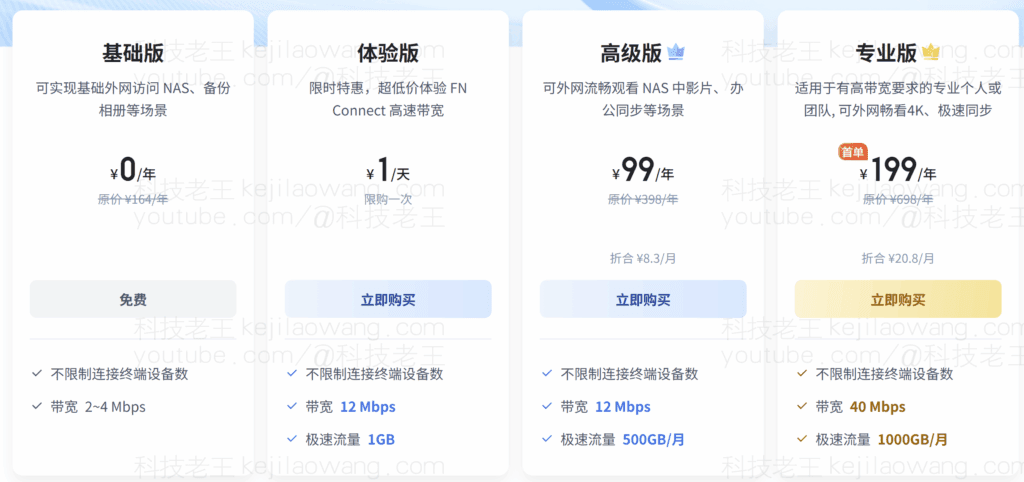
在配置NAS过程中,远程访问是个必须面对的问题。飞牛NAS提供的FN Connect虽可免费使用,但免费版仅限20M,体验类似群晖的QuickConnect。然而,在跨地区或跨网络使用时,常遭遇延迟高和连接不稳的问题。是否有更佳方案?答案是结合Cloudflare DDNS和自建远程访问,其速度等同于本地网络的上行速度,例如我的网络下行速度为200Mbps,上行则在30-50Mbps,相当于FN Connect的专业版标准。在有公网环境下,这是目前最佳的选择。若追求更高安全性,可以考虑加入CDN和TLS加密,通过HTTPS访问,虽然速度可能受影响,需要实际测试。由于Cloudflare的CDN全球部署,理论上可以实现最优访问速度,感兴趣可以参考 <告别复杂端口号:Cloudflare DDNS + TLS 证书+规则策略,实现飞牛NAS“即输即达”安全远程访问>
鉴于IPv4地址的稀缺性,尤其是公网IP,不是每个宽带用户都能获得动态IP地址。电信之外,这一情况尤为严重。尽管早年宽带申请相对宽松,现如今若无法获取公网IP,且不愿意使用免费的FN Connect,可考虑使用Cloudflare提供的免费tunnel服务,以实现最佳访问速度。感兴趣者可了解更多信息。<告别无公网 IP 焦虑:用 Cloudflare Tunnel / Zero Trust 打造真正可分享的飞牛fnOS NAS 免费远程访问方案>
To view, please open this page in an internet environment with access to YouTube.
A full graphic description is provided below and can be read on.
In this way, you can not only securely and quickly log in to the NAS remotely, but also use the player to stream movies directly from your home NAS while you are on the go, which is far more than the “on-demand” experience of FN Connect. This article will take you through the complete process of my practice, helping you easily realize the ideal experience of remote access to the NAS.

First of all we need a domain name and hosting to Cloudflare, if you don't understand it for the first time you can check out what I want to see!Blog LinksorYoutubeGo and look at the usage in detail, and if there is any doubt about theDDNS know nothing about it can also go to my channel to do systematic learning.

First, let's add domain name resolution to Cloudflare.
a. Add primary domain name resolution
Go to the Cloudflare console and on the left side of the Hosted Domains page select "DNS → Records"We'll create a new record and proxy off Little Yellow Cloud. Let's create a new record and proxy off Little Yellow Cloud to ensure stability for subsequent configurations. Let's assume this primary domain is A Domain name ((www.test.com)The
b. Adding subdomain name resolution (key step)
Next, create a new line A Records::
- name (of a thing): Enter a sub-domain prefix, e.g.
nas(At this point, the subdomain issecond-level domain name). - goal: nas.test.com The IPV4 resolving address is filled in randomly for now, it's not important. Later on, depending on yourFeiniu NASThe acquired public IP will be synchronized and updated here.
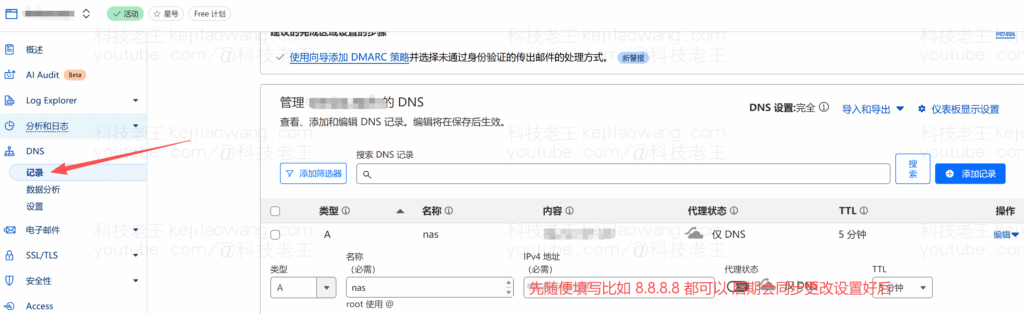
What this configuration does is allow the IPv4 networks get our public IP to nas.test.com via DDNS recordsTo achieve dynamic IP changes we always use thenas.test.comYou can access our Flying Niu NAS at high speed, of course, if you do not have a public IP do not do intranet penetration, the speed will not be very fast, why not directly use the official FN Connect Flying Niu remote connection to use it, it is also very convenient.
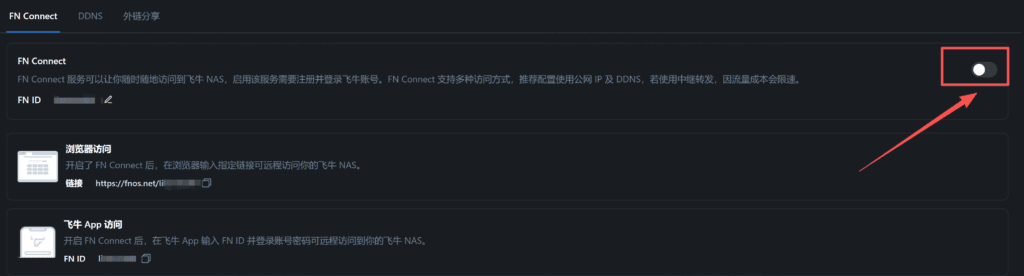
Second, Cloudflare side configuration operation
1、Get Cloudflare Token
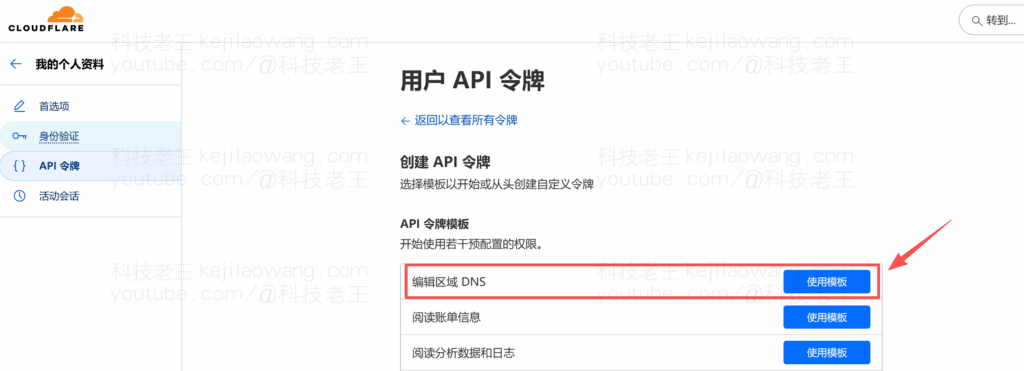
a.Cloudflare Token is mainly used for DDNS as well as SSL certificate applications. Open link:https://dash.cloudflare.com/profile/api-tokens and click “Create Token”.
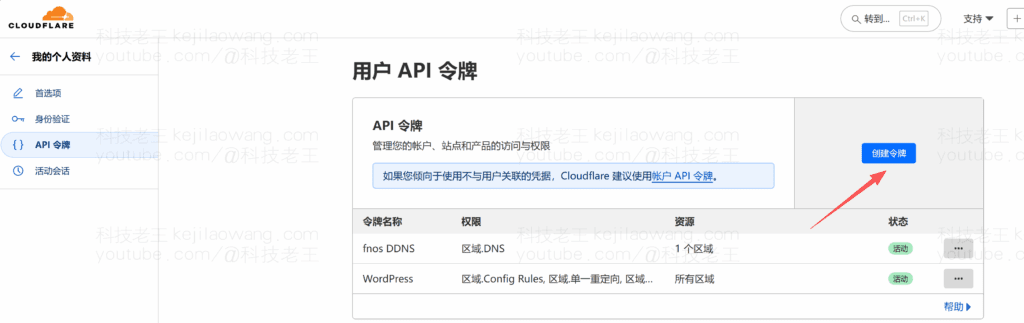
Select the first editing area DNS “Use Template".
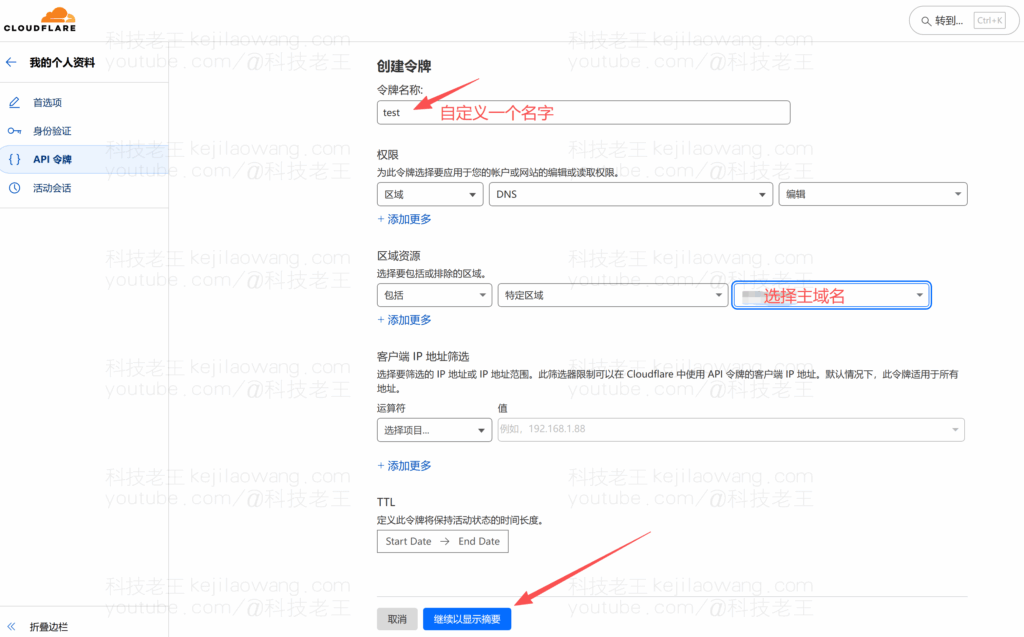
Then simply select the domain name we are hosting in the last box of the regional resource and click “Continue to show summary”.
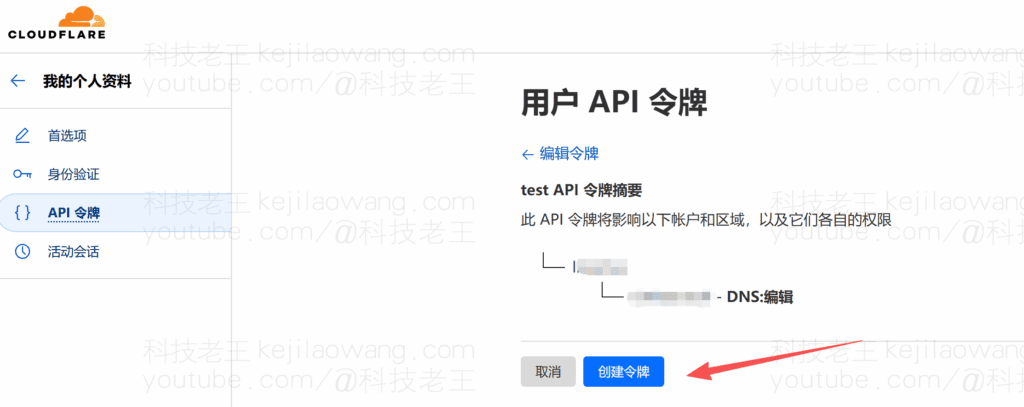
Tap “Create Token
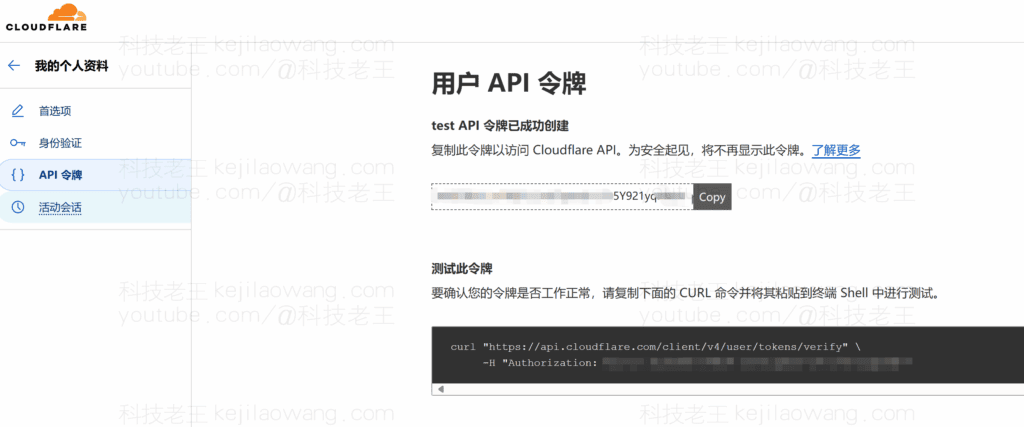
Finally, copy the API tokens shown here (only shown once, copy and paste them into a text file for safekeeping).
Second, the DDNS configuration of the Flying Niu NAS
Log in to Feiniu NAS, System Settings-Remote Access-DDNS-Added

Edit DDNS-DDNS service provider to write to Cloudflare and DDSN domain to write to your second level domain name for example:nas.test.com, the username is the username of your cloudflare The key is the API token you applied for, not as bad as the problem we can use our dynamic domain name to access our NAS and swim in the network. The status is successful, and cloudflare will stay synchronized and updated.
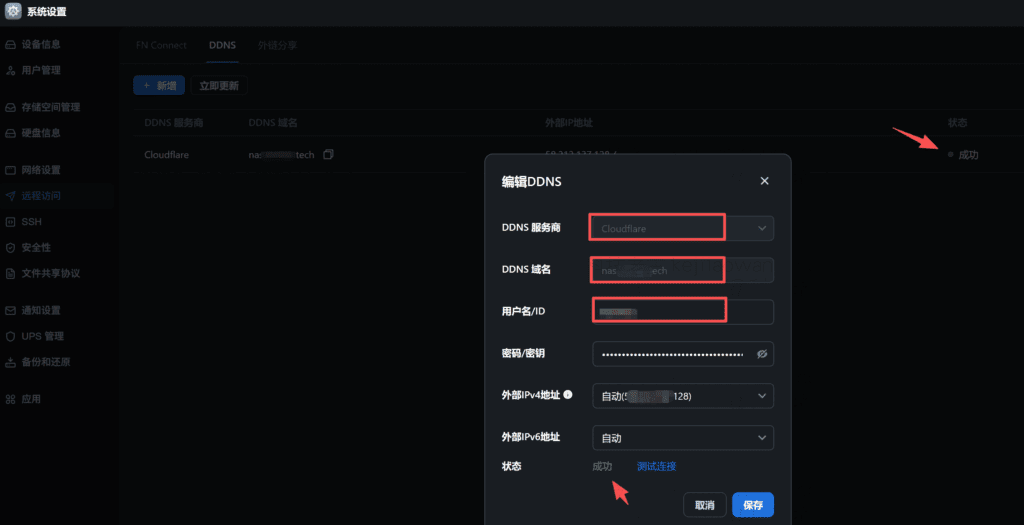

Of course, port mapping is still set up normally in the primary route, if you don't have a systematic understanding of it you can also watch my previousYouTube videoMake a detailed and systematic understanding.
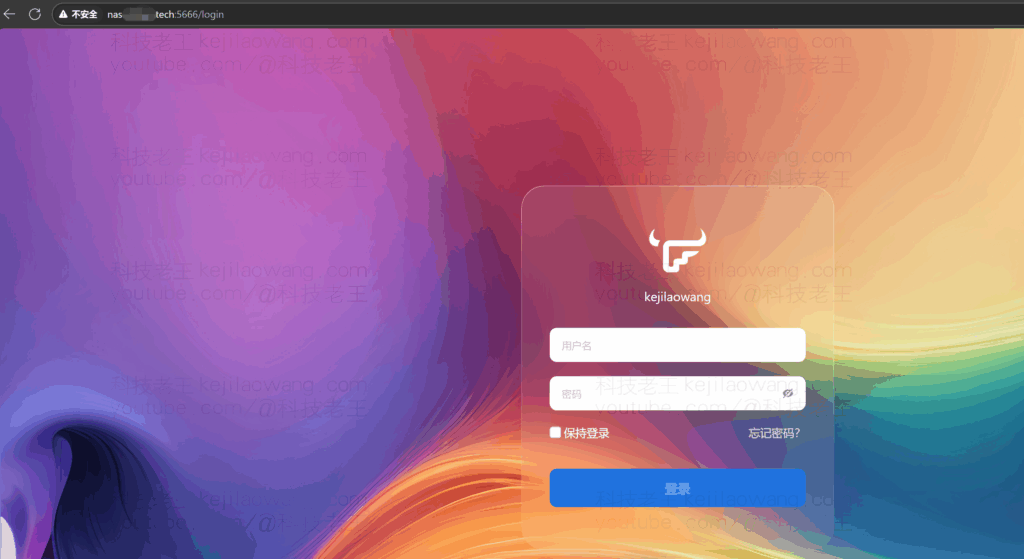
At this point, we can use the second-level domain name to access our Flying Niu NAS, and the mobile client operates in the same way. This is to maximize the use of our network, faster and more secure access to our NAS server.






 Lan Xiaobo (1952-1997), PRC politician Protocol Not Supported The client and server do not support the general SSL protocol version or cipher suite. This error is prompted
  kittyzero Hi, https://www.youtube.com/watch?v=eJUWQqCKfW0 I set it up and the extranet won't go out, not sure why, emailed you, thanks.
  ericjin211 Hi, tried this solution and found that foreign sites going through openclash proxy will not go through adguardhome, what could be the problem 🤔
  666 Tried the copy, no other problems, dns test has Hong Kong and Japan, not sure if it's a leak or not
  Loong2004 Hello, I feel that the program is very good, but the white hand is handicapped, can you have paid remote guidance, thank you!
  Chinese
  English
  Spanish
  French
  German
  Japanese
  Portuguese
  Italian
  Dutch
Dutch