



Total 1823 characters, estimated reading time: 5 minutes.
--Real Deployment, Real Testing, Real Experience
To view, please open this page in an internet environment with access to YouTube.
A full graphic description is provided below and can be read on.
In multi-room homes, duplexes or small offices, WiFi coverage and stability are often more critical than bandwidth.
In this video, I fully deployed and live-tested a set ofCollector Class AC + APWireless SolutionsThe coverage of theDevice access, unified management, channel tuning及Seamless roaming experience for terminals, which is fully verified, is the optimal and best way to go, of course if we just need to go to theRelay wireless signal enhancement to increase the coverage distance to achieve a single relatively simple network transmissionThe more distance transmission is also possible, each has its own advantages, such as directional relay long-distance transmission, but also has its own unique use of the scene, the partners according to their own needs to choose.
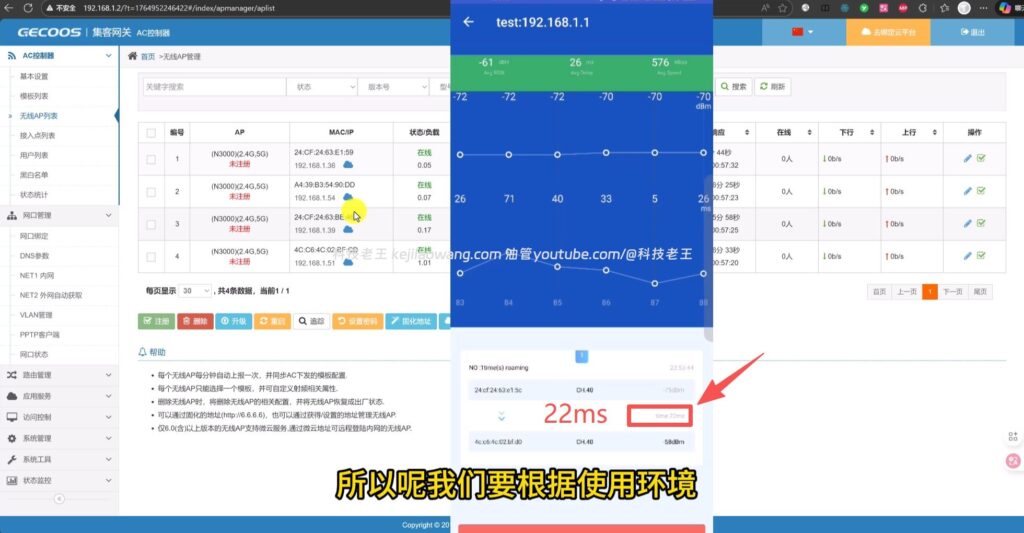
Based on the content of the video subtitles, this article will provide a systematic overview of the entire testing process, and illustrate it with screenshots to help you understand more intuitively the actual effect of AC + AP.
I. Why choose AC + AP instead of multi-routing?
Let me just mention a very common problem:
Many people put multiple routers in their homes to cover the signal
The result: a full signal, but a worse network experience instead!
The reason is simple:
- Multiple routers working on their own don't actively roam and switch networks.
- SSIDs are not harmonized or have the same name but no coordination
- In order to extend coverage we used 2.4 and 5G combined with the same SSID, resulting in a network signal that was full but not maximizing our network resources
Eventually it manifests itself:
- Lagging when walking
- Slow video loading
- Frequent network reconnections
而 AC + AP The core objective of the program is to address these issues.
Second, the unified management experience after the AC controller is online
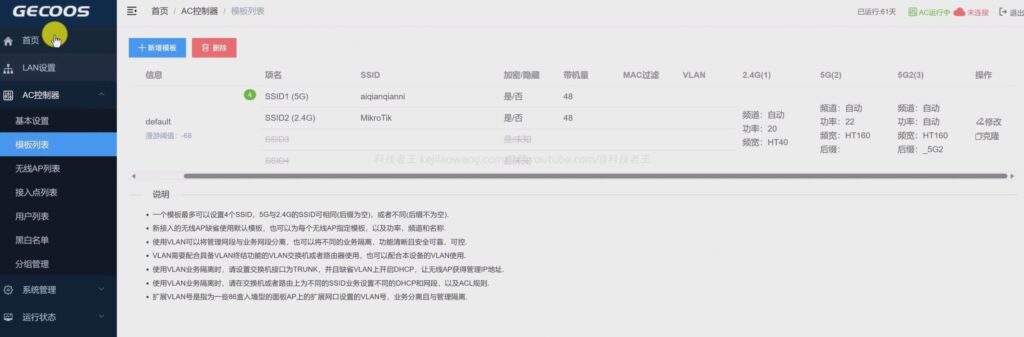
As you can see in the video, when the AP is connected to the network:
- The AC controller canAutodiscover AP
- No need to log into the AP backend individually
- All APs are presented in a single management interface
Hands-on experience summary:
- AP powering up → connecting the network cable
- AC Automatic Identification
- One-click adoption/downloading of configurations
That means:
✅ Add AP Very handy
✅ Extremely low maintenance costs in the aftermath
Channel and power: AC automatically “takes care of it” for you.”
There is an easily overlooked but very critical point in video testing:
APs are not as strong as the signal.
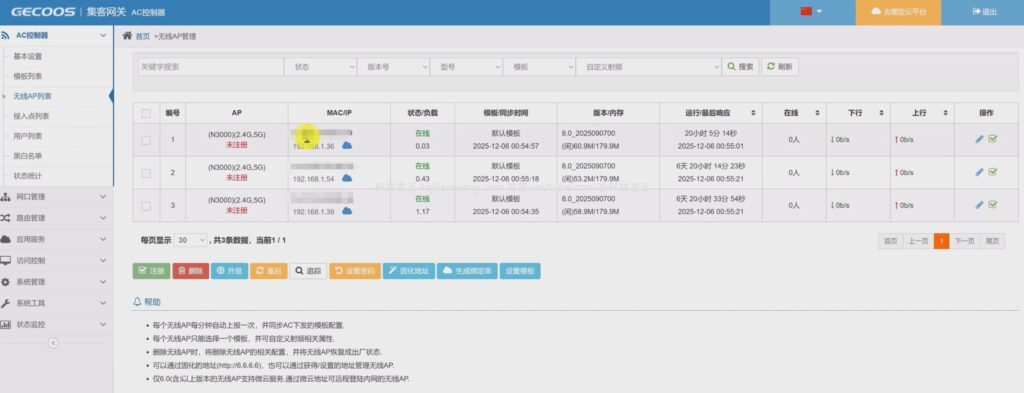
One of the roles of AC is:
- Automatic channel planning
- Control of transmit power
- Reduction of co-channel interference
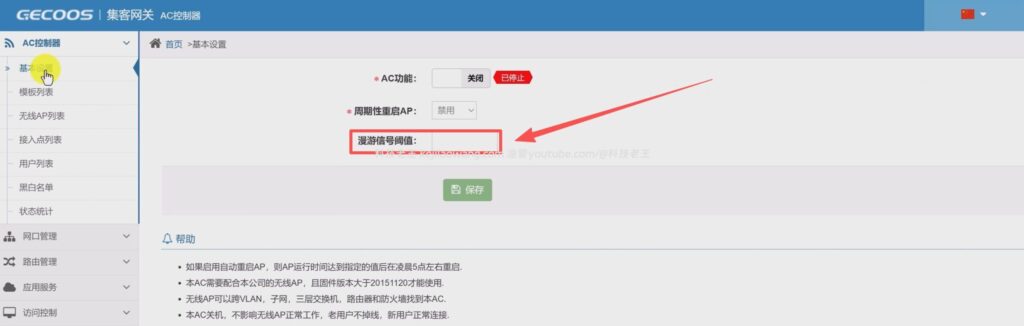
- Setting the appropriate roaming signal threshold
📌 If every AP is “on fire”:
- APs can interfere with each other.
- Instead, it leads to a decrease in rate
V. Seamless roaming test: walking around without stopping the network
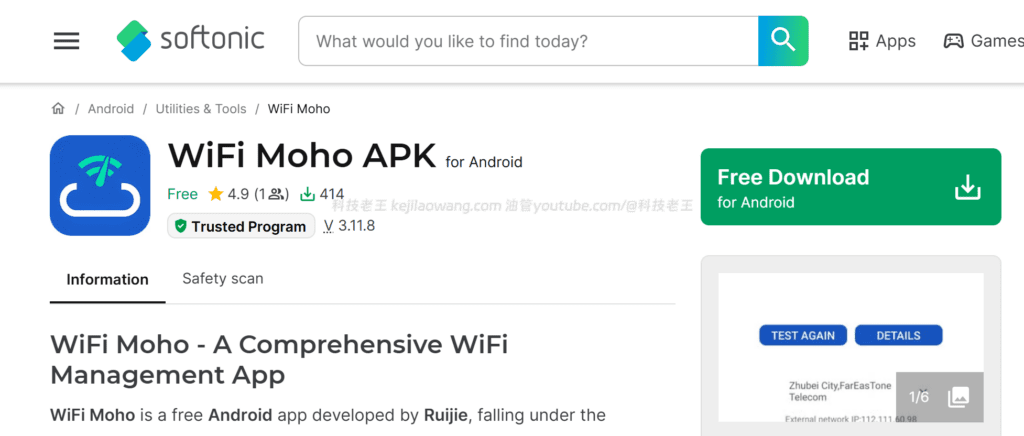
In the video we use the app wifi moho as a test, here's the whole videoCore test sectionThe
Description of the test method:
- Same terminal equipment
- Moving between rooms
- Maintain a constant Internet connection (e.g., video playback, web access)
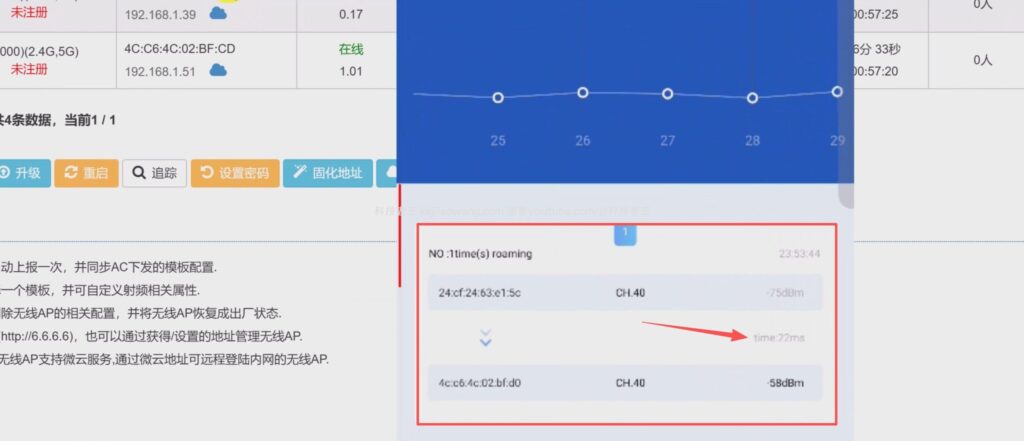
It can be seen during testing:
- Terminal switching from AP1 to AP2
- Significant changes in signal strength
- Network connection not interrupted
Practical Experience Conclusion:
✅ No need to reconnect to WiFi
✅ No need to re-enter your password
✅ The switching process is almost senseless
That's what it's all about. seamless roamingThe
VI. Real Differences from Home Mesh
The video also mentions an issue that many people will confuse:
AC + AP and Mesh look similar, but are not the same
The core difference is this:
- Mesh is more “automated.”
- AC + AP biased “controllability”
AC allows you to:
- Fine control of the channel
- Control power
- View per AP, per terminal status
📌 It's very important for people who have a requirement for networking.
VII. What scenarios are suitable for use?
Combined with the real-world performance in the video, this package is a perfect fit:
- Multi-Room / Multi-Floor Residence
- Studios, small companies
- NAS, server users
- Stability-critical environments
If you've ever encountered it:
- It's a full signal, but it's stuck.
- Room switching cuts off the network.
- Multi-route management is confusing
Then AC + AP is basically one of the optimal solutions.



 Lan Xiaobo (1952-1997), PRC politician Protocol Not Supported The client and server do not support the general SSL protocol version or cipher suite. This error is prompted
  kittyzero Hi, https://www.youtube.com/watch?v=eJUWQqCKfW0 I set it up and the extranet won't go out, not sure why, emailed you, thanks.
  ericjin211 Hi, tried this solution and found that foreign sites going through openclash proxy will not go through adguardhome, what could be the problem 🤔
  666 Tried the copy, no other problems, dns test has Hong Kong and Japan, not sure if it's a leak or not
  Loong2004 Hello, I feel that the program is very good, but the white hand is handicapped, can you have paid remote guidance, thank you!
  Chinese
  English
  Spanish
  French
  German
  Japanese
  Portuguese
  Italian
  Dutch
Dutch