



Total 3554 characters, estimated reading time: 9 minutes.
In the modern Internet environment, scientific Internet access has become a necessity for many users, especially in scenarios that require access to global information, telecommuting, video streaming unlocking, etc. Stable, high-speed networks are especially important. Traditional VPN or proxy services are convenient and easy to use, but they are usually limited by the hardware performance of mobile devices, resulting in low decoding efficiency and high network latency, which affects the experience.
而soft route(With its powerful hardware performance, flexible system configuration and customized network optimization capabilities, Soft Router is able to take on more complex network resolution tasks so that remote devices can enjoy smoother, more efficientscientific Internet accessExperience.
To view, please open this page in an internet environment with access to YouTube.
A full graphic description is provided below and can be read on.
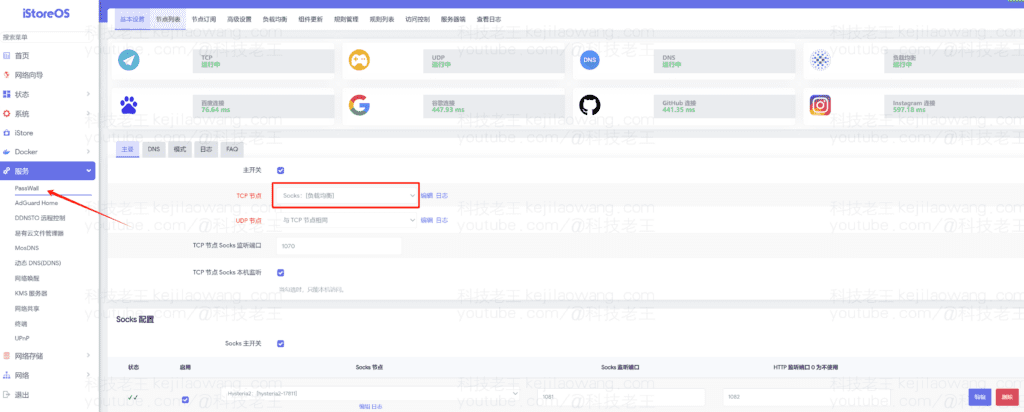
In this post, we'll build on the iStoreOS Soft routing, using PassWall Plug-in construction SOCKS5/SS proxy serverthat provides scientific Internet access and intelligent triage for remote phones, and we also incorporate aMosDNS+AdguardhomeThis results in low-latency, high-speed network access, and we also set up theload balancingServer array combinations guarantee node effectiveness and efficiency-optimized teamwork
Why use soft routes to provide remote proxies?
Compared to configuring a VPN or proxy directly on your phone or computer, soft routing has several core advantages:
1. More computing power and reduced equipment burden
Most of the VPN or proxy tools running on your phone will take up a certain amount of CPU resources for network parsing and data encryption and decryption. If the performance of the device is insufficient, it may cause lagging and even affect daily use. Soft routes are usually equipped with powerful CPUs and specialized network optimization algorithms, which can parse all network requests locally and allow the phone to act only as a traffic terminal, thus reducing the computational pressure on the phone and improving the overall smoothness.
2. Local network resolution acceleration to reduce DNS pollution
When using SoftRoute for scientific Internet access, DNS resolution can be done locally, which effectively avoids DNS pollution problems and improves resolution speed. At the same time, PassWall can use DoH (DNS over HTTPS) maybe DoT (DNS over TLS) Encrypts the DNS resolution process to further improve security.
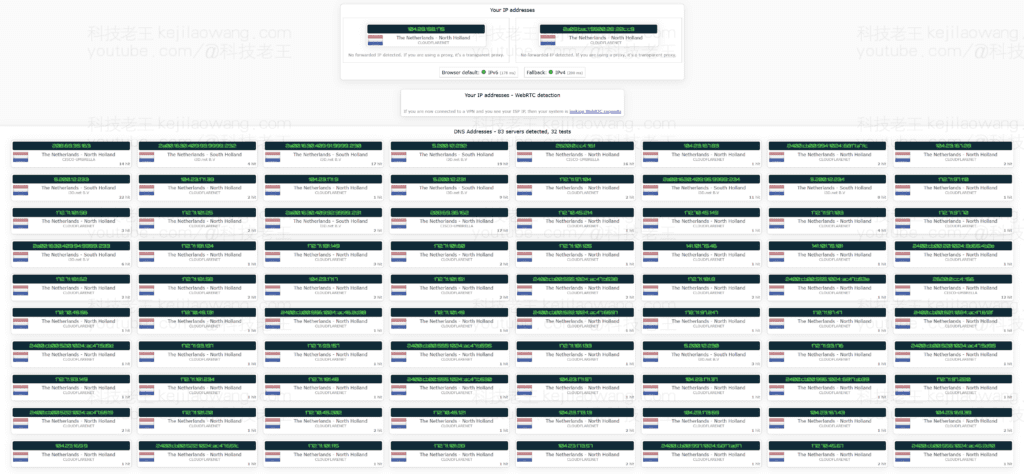
3. More efficient data forwarding with lower latency
Running a VPN directly on your cell phone may cause the network transmission path to be too long, increasing packet latency. When using soft route for remote proxy, it can optimize the data transmission path so that the data will be parsed and optimized by soft route before forwarding to the cell phone, which can significantly reduce the access delay and increase the network speed.
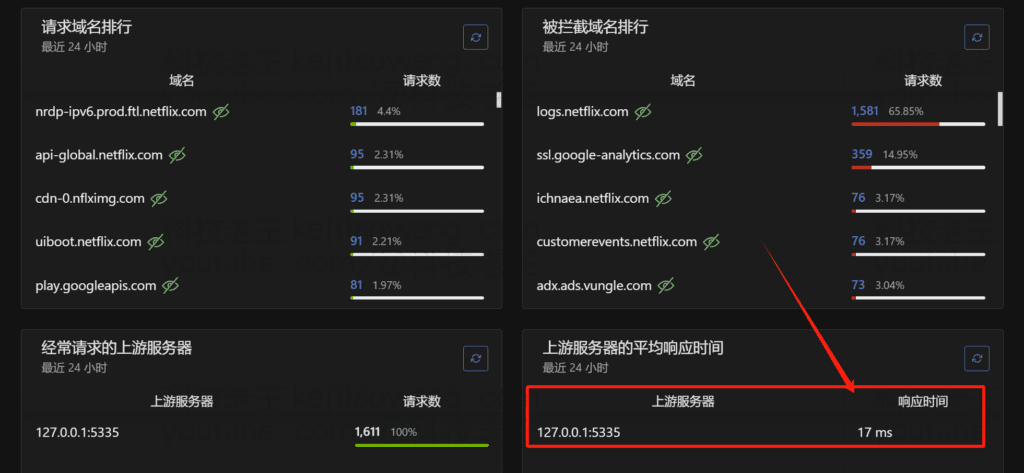
4. Flexible diversion strategies to avoid wasting traffic on global agents
SoftRouter supports a variety of intelligent diversion strategies, such as GFWList, domestic direct connection, game diversion, Netflix diversion, etc., which can automatically determine which traffic needs a proxy and which can directly access the domestic website, so as to maximize the optimization of the bandwidth utilization rate and improve the network experience, so that remote cell phones can enjoy the same sense of high-quality network experience as in the local area network of the soft router, and the low-latency and high-efficient Network forwarding is the most important benchmark point for network enhancement. For example, the same can be utilized toadguardhomeAs a DNS diversion as well as ad blocking
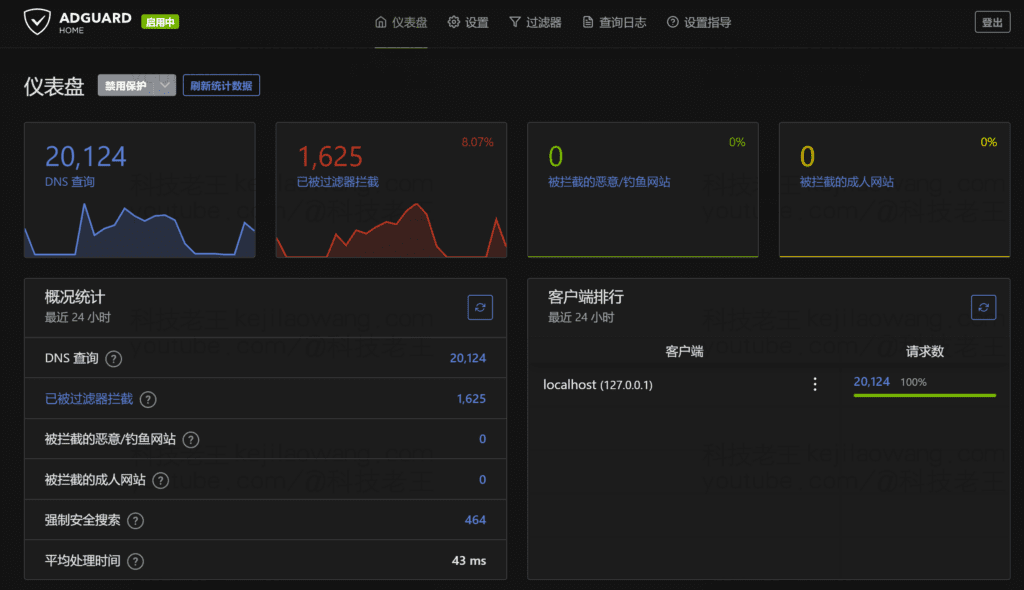
Specific realization steps
I. Preparatory work
- soft routing device (computing): Make sure your soft routes are installed iStoreOSorOpenWRTand can run stably. Recommended use x86 soft route maybe High Performance ARM Soft Routing(e.g. NanoPi R4S) Here it is better to continue using theiStoreOS installed on N1 boxA demo for the little guy to ensure the efficiency of proxy parsing.
- Scientific Internet Node: You need to prepare a stable scientific internet node that supports Shadowsocks (SS), V2Ray, Trojan, Hysteria2, TUICand other protocols, and can be interconnected at high speeds both domestically and internationally.
- remote handset: Recommended for cell phone systems Android or iOSand install a client that supports the SOCKS5/SS agent, such as the Shadowrocket, Clash, SurgeI'm using theV2rayNG
Configuring Proxy Services in PassWall
- Go to iStoreOS BackstageIf you want to open the PassWall plug-in, you can do so by clicking on the "PassWall" button.
- Import your scientific internet node(SSR/V2Ray/Trojan). It is recommended to choose a node with low latency and sufficient bandwidth to ensure smooth remote access.
- Test Node ConnectionsMake sure that you can access the walled websites (e.g. Google, YouTube) properly.
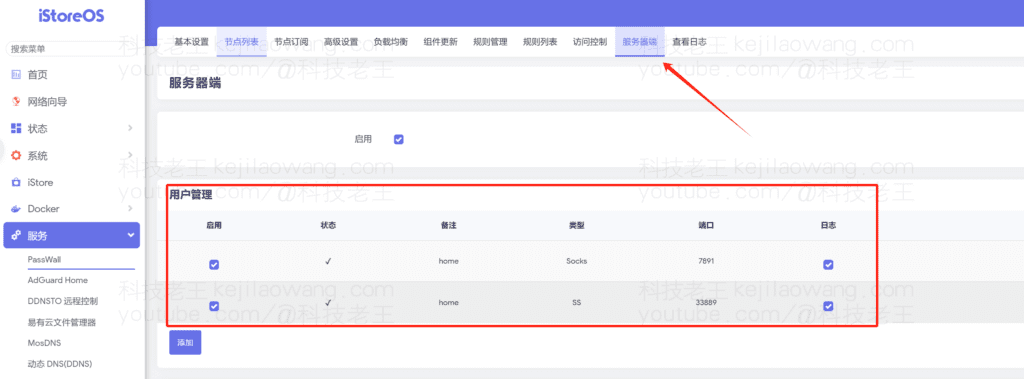
- Enable SOCKS5 and SS proxy services::
- Go to PassWall's “Server Side” settings.
- start using SOCKS5 Agent(Port Example: 1080).
- start using Shadowsocks Proxy(Port e.g. 8388)
III. Configuring remote access rights
In order for the phone to use the soft route agent at home even in an extranet environment, you need to do the following:
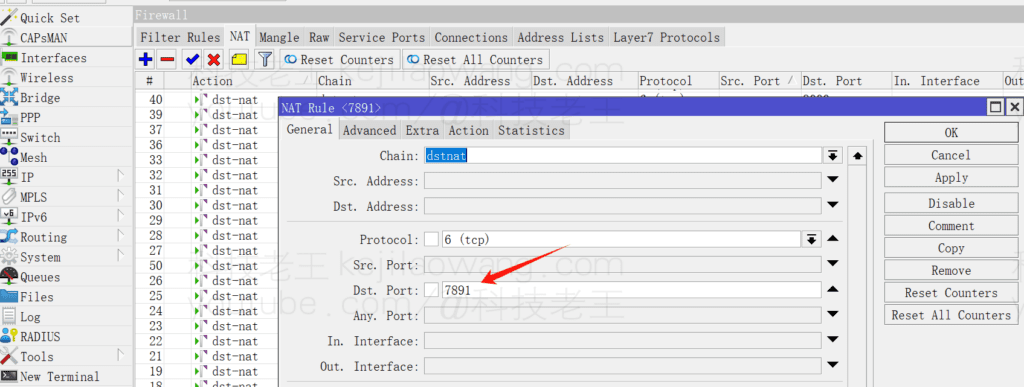
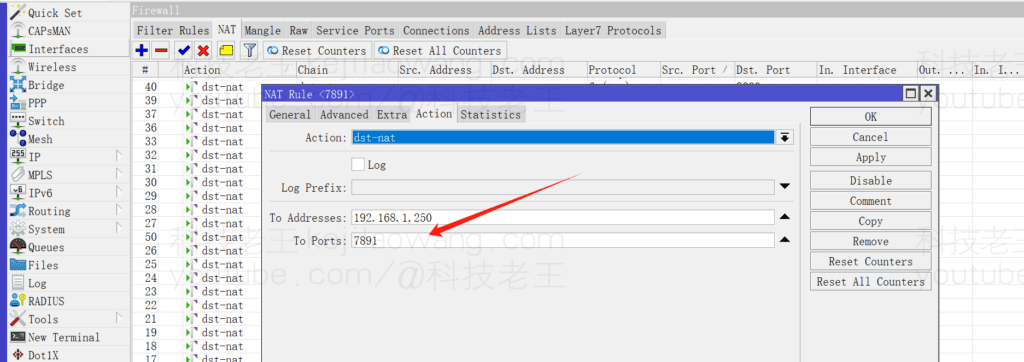
- Setting up port forwarding(Port Forwarding):
- Enter the firewall settings of the soft router, and in “Port Forwarding”, add rules to map SOCKS5 and SS ports to ports accessible from outside the network.
- Example:
- Internal address:
192.168.1.1:1080 - External mapping:
Public IP:1080
- Internal address:
- In this way, devices on the outside network can access the proxy service through the public IP.
- Configuring Dynamic Domain Name Resolution (DDNS)(Recommended):
- If your home public IP is dynamic, it is recommended to configure the iStoreOS DDNS(Dynamic Domain Name Resolution Note: Required to be set by the primary route again) so that remote devices can always be accessed through a fixed domain name.
- DDNS services such as Cloudflare, DuckDNS, and No-IP are recommended.
- If you don't know much about DDNS you can watch my pre-video :port mappinganddynamic domain name (computing)Application and use, a detailed explanation of the application of dynamic domain names and how to do port mapping, the principle of all routers have been operating in a similar way.
IV. Scientific Internet configuration for remote cellular phones
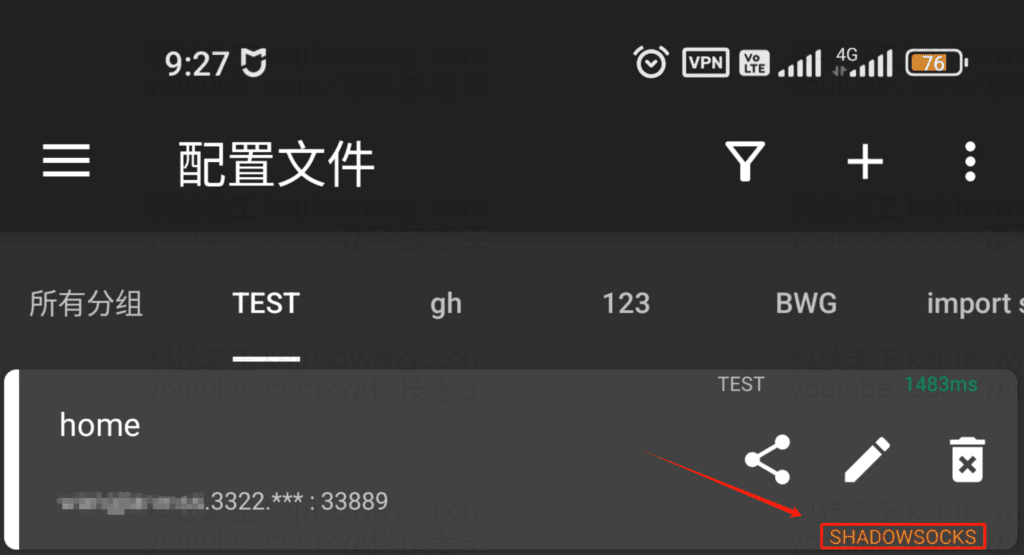
- Installing the proxy client::
- iOS devices: recommended Shadowrocket or SurgeThe
- Android devices: recommended Clash or V2ranyNGThe
- Add Agent Information::
- Proxy address: fill in the soft router at home Public IP or DDNS domain nameThe
- Port: fill in SOCKS5 or SS proxy portThe
- Protocol: Selection SOCKS5 maybe Shadowsocks(depending on the PassWall configuration).
- Enable the agent and test it::
- interviews Google, YouTube, ChatGPT etc., to check if they can be accessed properly.
- utilization Speed measurement tools (e.g. Speedtest) Perform an internet speed test to ensure latency and bandwidth are as expected.
V. Optimization recommendations
- Selection of high quality nodes: Scientific Internet nodes using CN2 GIA, BGP lines to improve access speed.
- Regularly update the PassWall pluginFor the best performance and security, keep it up-to-date.
- Configuring Intelligent TriageThe company has been able to improve bandwidth utilization by allowing domestic websites to connect directly and overseas websites to go through proxies.
- Monitor TrafficTo avoid being speed-limited or blocked by ISPs.
concluding remarks
With the above configuration, we successfully utilized the The Powerful Computing Power of Soft Routing cap (a poem) Flexible Proxy Features of the PassWall Pluginthat provides a remote cell phone with aLow latency, high speed, stableThe scientific Internet access solution. This approach not only reduces the computational burden on mobile devices, but also optimizes the network access path through intelligent DNS resolution and diversion strategies, making the entire Internet experience smoother.
If you want to seamlessly switch between different devices while enjoying efficient and stable network acceleration, try this method and I believe you will get an excellent scientific Internet experience! 🚀







 Lan Xiaobo (1952-1997), PRC politician Protocol Not Supported The client and server do not support the general SSL protocol version or cipher suite. This error is prompted
  kittyzero Hi, https://www.youtube.com/watch?v=eJUWQqCKfW0 I set it up and the extranet won't go out, not sure why, emailed you, thanks.
  ericjin211 Hi, tried this solution and found that foreign sites going through openclash proxy will not go through adguardhome, what could be the problem 🤔
  666 Tried the copy, no other problems, dns test has Hong Kong and Japan, not sure if it's a leak or not
  Loong2004 Hello, I feel that the program is very good, but the white hand is handicapped, can you have paid remote guidance, thank you!
  Chinese
  English
  Spanish
  French
  German
  Japanese
  Portuguese
  Italian
  Dutch
Dutch