



Total 2492 characters, estimated reading time: 7 minutes.
After building a one-stop DNS magic system based on OpenClash + mosDNS + AdGuardHome, the network experience has been significantly improved, but also encountered the problem of unstable remote desktop port mapping. In this article, we will go through the details of OpenClash Cloudlfare's “Source Traffic Access Control” feature successfully solves the problem and provides security mapping suggestions to help you remotely access your intranet devices with stability and peace of mind. This is the case that we use DDNS to access our LAN devices remotely when we have a public network, but if we don't have a public IP, we can also use Cloudlfare's new feature, Zero Trust's Tunnel, to realize intranet penetration, which is a safe and fast way to remotely access the devices that I use in theSay Goodbye to No Public IP Anxiety: Cloudflare Tunnel / Zero Trust for a Truly Shareable FNOS NAS Free Remote Access Solution.There are detailed explanations and setup instructions, support for a variety of protocol modes, HTTPS Web access, SSH remote login, including our remote desktop, FTP, etc., and also supports mailbox authentication, but also more secure. Interested in whether there is a public IP can try.
In the last tutorial, we went through the OpenClash + mosDNS + AdGuardHome A one-stop DNS magic system has been created, and the three work together to maximize the optimization of the network experience:
- OpenClash: Responsible forscientific Internet access, policy triage, and transparent proxies;
- mosDNS: Responsible for DNS encryption forwarding, anti-pollution and multi-upstream management;
- AdGuardHomeThe first line of defense is to receive DNS requests from clients, prioritize the blocking of advertised domains, and then pass them on to mosDNS for further processing.
To view, please open this page in an internet environment with access to YouTube.
A full graphic description is provided below and can be read on.
The complete link for a DNS query is shown below:
Client → AdGuardHome → mosDNS → OpenClash (forwarding or direct connection) → Extranet
This architecture blocks ads and avoids DNS pollution, while working with Scientific Internet Access to achieve an efficient, clean and stable web access experience.
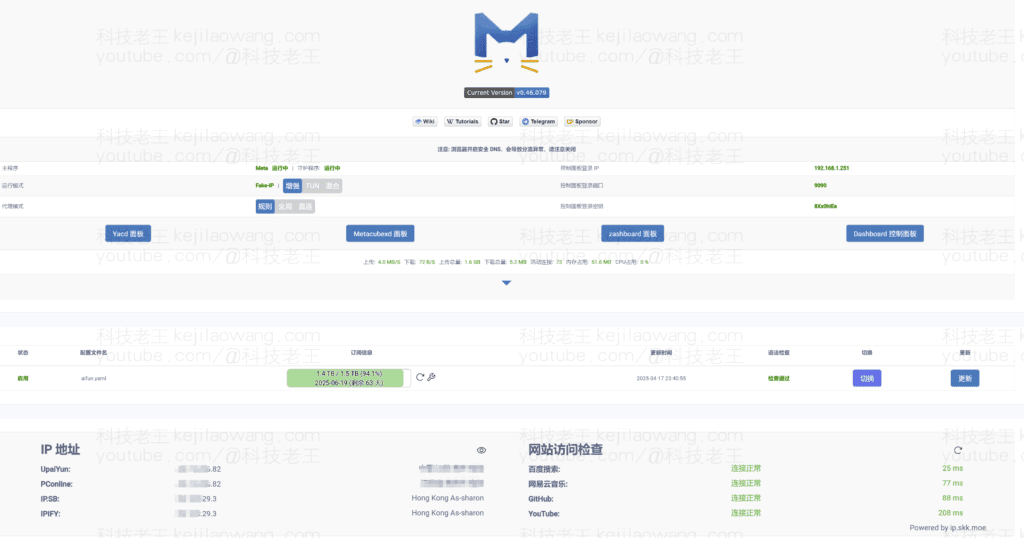
🧱 Unstable remote desktop connection issues
However, in practice, I ran into a small problem - theExtremely unstable connection for remote desktop (RDP) access via DDNSThe connection is often “lost” or “intermittent”.
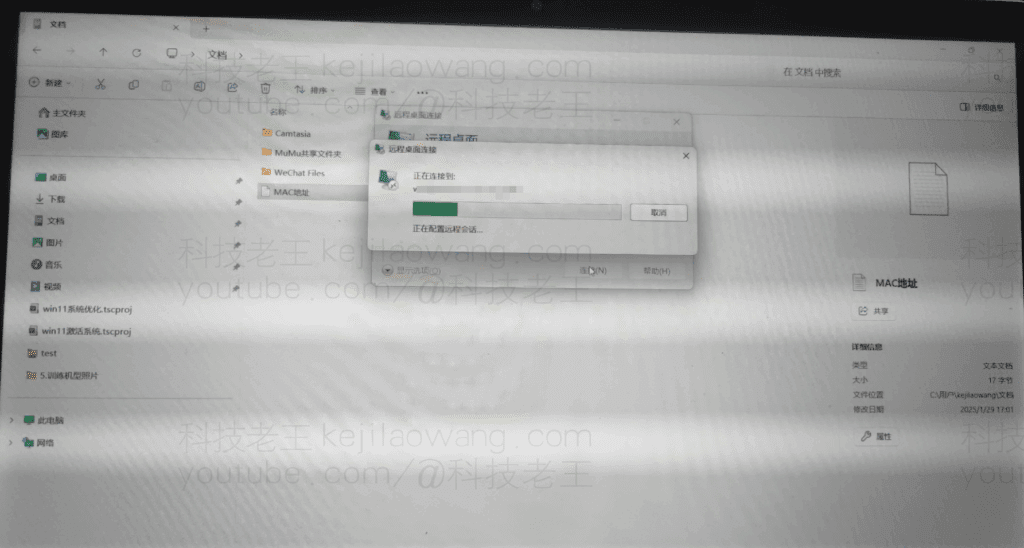
What confuses me is that this has happened before when I used the PassWall+MosDNS+AdGuardHome Never had a connection error when used in combination like this as a scientific internet tool. For users like me who rely on remote desktop, this is obviously a must-have.
After much troubleshooting, I found a possibly relevant setting in OpenClash's plugin settings:
🔧 Source traffic access control
In OpenClash's Settings menu, there is a menu named “Source traffic access control” The official description of the module is as follows:
- Traffic from locally specified ports will not pass through the core. you can try to turn it on when forwarding fails under the bypass gateway (bypass routing);
- In Fake-IP mode, filtering of pure IP type requests is only supported.
This feature allows us to make exceptions for traffic from specified ports.Bypassing the Clash Core, allowing this traffic to go through the system's native routing and forwarding mechanism.
After I set it according to the actual port number (3389), the remote desktop connection immediately became smooth and stable, and no more dropped or failed connection problems, so if you also encounter unstable connection you can try to turn on such a server, I hope to solve your problem.

🛡 Security tip: Do not expose port 3389 directly!
While we can now stabilize remote access, for security reasons, theIt is strongly discouraged to directly map port 3389 on the intranet to the public network.Because 3389 is the default port for remote desktops. Because 3389 is the default port for Remote Desktop, it is highly susceptible to scanning, brute force attempts, and high security risks.
The recommended practice is as follows:
Or further use ZeroTier, FRP, WireGuard, etc. to do intranet penetration instead of port mapping.
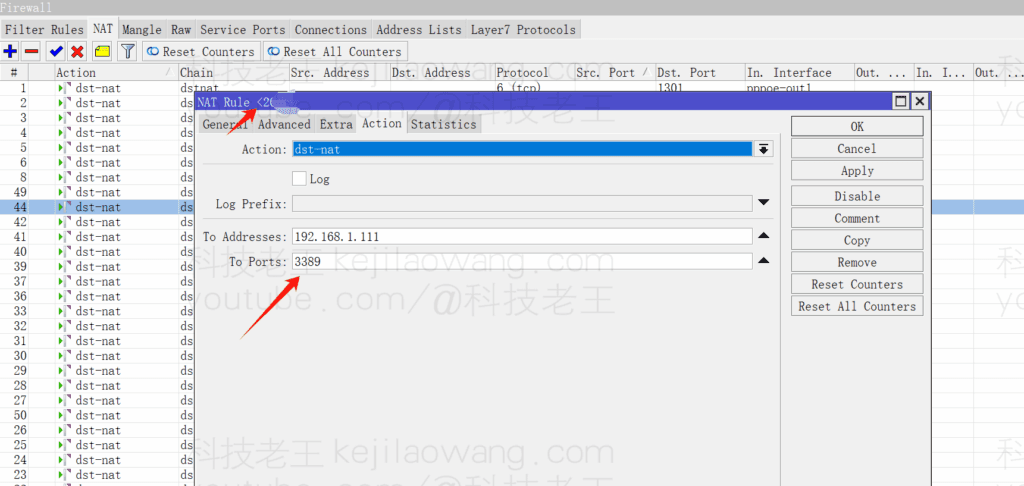
Set the public port to ahigh level port(e.g., 54289), which is then forwarded to intranet 3389;
Strengthen remote login passwords and avoid using weak passwords;
Enable the system login failure lockout policy to prevent blasting;
Work with firewall rules or GeoIP whitelisting to restrict sources;
Here I am using the extranet mapping different port mapping to LAN class port 3389 to use, the following example is the port mapping of ros routing.
✅ Summary
If you're using OpenClash as a transparent proxy and mapping remote desktop connections via DDNS, and are experiencing unstable connections, try turning on the “Source Traffic Access Control”, which excludes OpenClash from interfering with traffic on the specified port and ensures that the remote desktop is stable and available.
Also do not ignore the security of remote access, remember to do a good job of port hiding, anti-scanning, anti-bursting and other security measures, in order to have peace of mind.







 Chinese
  English
  Spanish
  French
  German
  Japanese
  Portuguese
  Italian
  Dutch
Dutch