



Total 2949 characters, estimated reading time: 8 minutes.
In this era of rapid technological development, the launch of Windows 11 by Microsoft has become the center of attention for many technology enthusiasts and everyday users. This latest operating system has become an important milestone in the history of Microsoft's operating system development with its unique and smooth user interface and many innovative features.Windows 11 not only brings a brand new experience in terms of visual effects, but also has a lot of optimization and improvement in its internal structure and operation logic. For example, its startup speed, file search efficiency, and virtual desktop enhancement make users' work and entertainment more efficient and convenient.
However, along with these compelling new features, Windows 11 requires a correspondingly higher hardware configuration. This is certainly a challenge for those users who have computers with lower configurations. For these users, they are faced with the dilemma of either upgrading their hardware or abandoning Windows 11. Just when many users are disappointed, the launch of Windows 11 LTSC (Long Term Service Channel) provides them with a ray of hope.
Windows 11 LTSC version is designed for enterprise users who need a stable running environment for a long period of time. Compared to the regular version, it removes some unnecessary applications and features, which reduces the hardware requirements and ensures smooth operation even on computers with low configurations. This is an excellent choice for users who do not want or have no need to upgrade their operating system frequently. In addition, the LTSC version offers longer technical support and update services, which means that users can enjoy a more durable and stable experience.
For users who wish to further improve system performance, a combination of efficient optimization tools, such as theRyTuneXRyTuneX is a software designed for Windows system optimization, which can help users to clean up useless files and optimize system settings, so as to free up hardware resources and improve the system's operation efficiency. With the help of such a tool, users can feel the charm of smooth and efficient Windows 11 system even with low hardware configuration.
To sum up, although Windows 11 puts higher requirements on hardware configuration, it still gives the majority of users with low configuration computers the opportunity to experience the elegance and efficiency of this latest operating system through the LTSC version and the use of third-party optimization tools. In this fast-changing technology era, it is especially important to embrace new technologies while finding the right way to use them. The combination of Windows 11 LTSC Edition plus RyTuneX and other optimization tools undoubtedly provides an excellent solution for users.
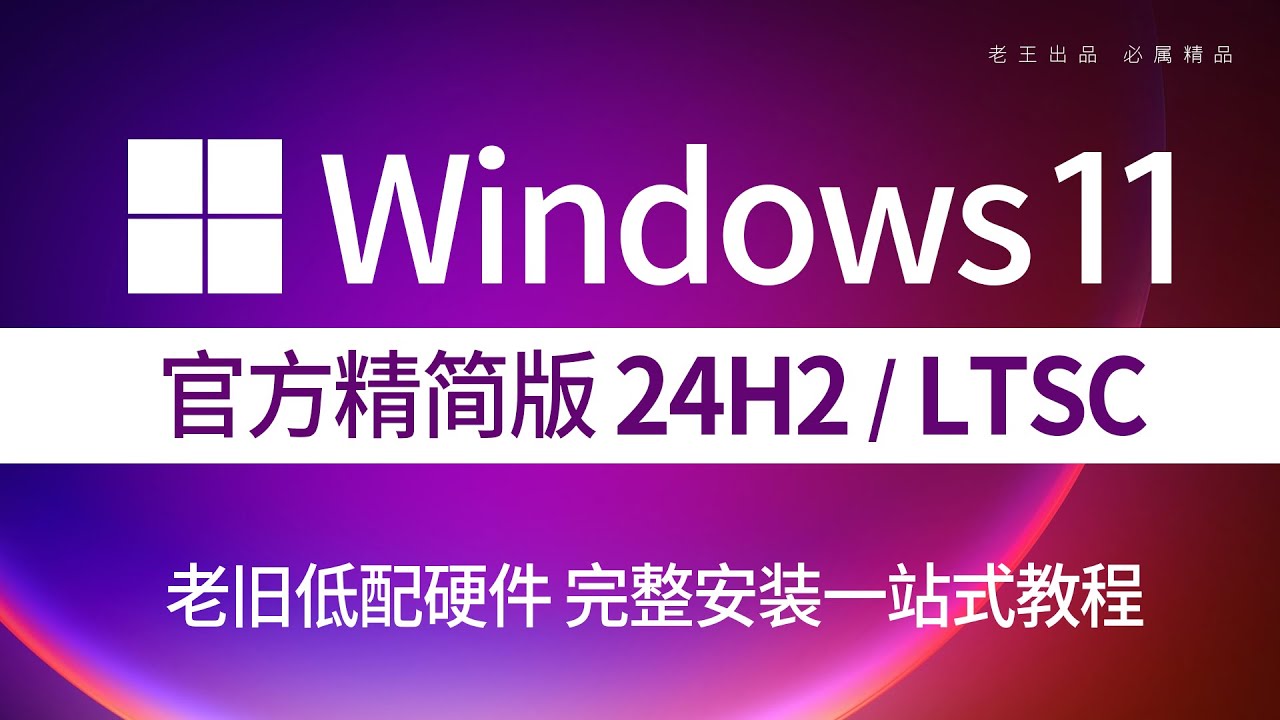
To view, please open this page in an internet environment with access to YouTube.
A full graphic description is provided below and can be read on.
Watch the video for detailed installation and setup details, if the playback fails, please click on the linkThe Old King of YouTube Tech
What is Windows 11 LTSC?
LTSC is Microsoft's long term service release for business and professional users, designed to provide a more stable and reliable system environment. Unlike regular releases, LTSC releases reduce the frequency of system updates and eliminate many features that consume resources but are not of practical use to specific users, such as the Microsoft Store and certain preinstalled applications.
This makes LTSC a great choice for low-profile computers running Windows 11, and ideal for scenarios that require high stability and low resource usage.
Features of Win11 LTSC
- low system footprint
The LTSC version removes a number of unnecessary modules for the average user, such as Cortana, parts of the Edge browser, and dynamic updates, which significantly reduces system resources. - Long-term support
LTSC offers up to a 10-year support cycle, which means users don't have to replace their systems as often, even with older hardware. - Stability is preferred
Compared to the standard version, LTSC is updated much less frequently, reducing instability or compatibility problems caused by frequent updates. - Higher compatibility
For lower-configuration computers, LTSC's streamlined design better accommodates older hardware, while also supporting the running of many older drivers and software.
How to get Win11 LTSC installed on a low configuration PC?
1. Inspection of system hardware
Ensure that the computer's hardware meets at least the following minimum requirements:
- Processor: 1 GHz or higher, supports 64-bit architecture
- Memory: 4 GB (8 GB recommended)
- Storage space: 32 GB
- Graphics: Supports DirectX 12
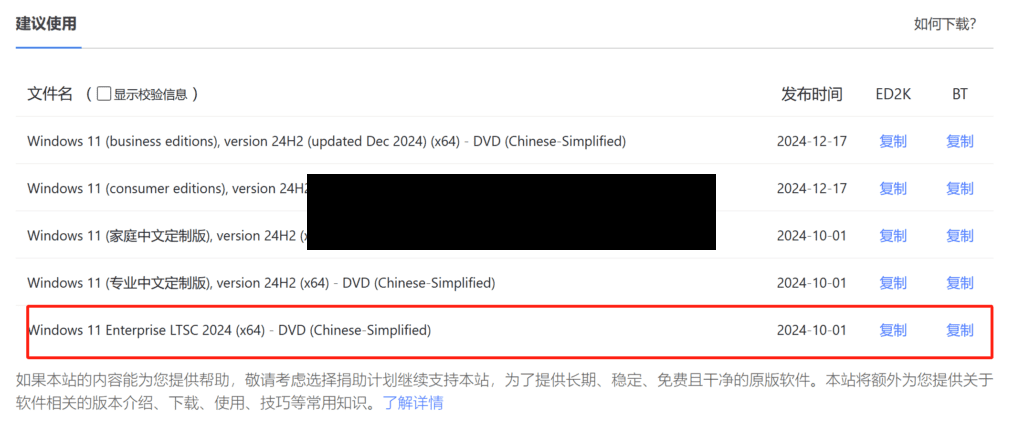
2. Get Win11 LTSC Image
Get the ISO file for Windows 11 LTSC through Microsoft's official website or other official channels.
MSDN, I Tell You - Be a Quiet Tool Station


3. Creating boot disks
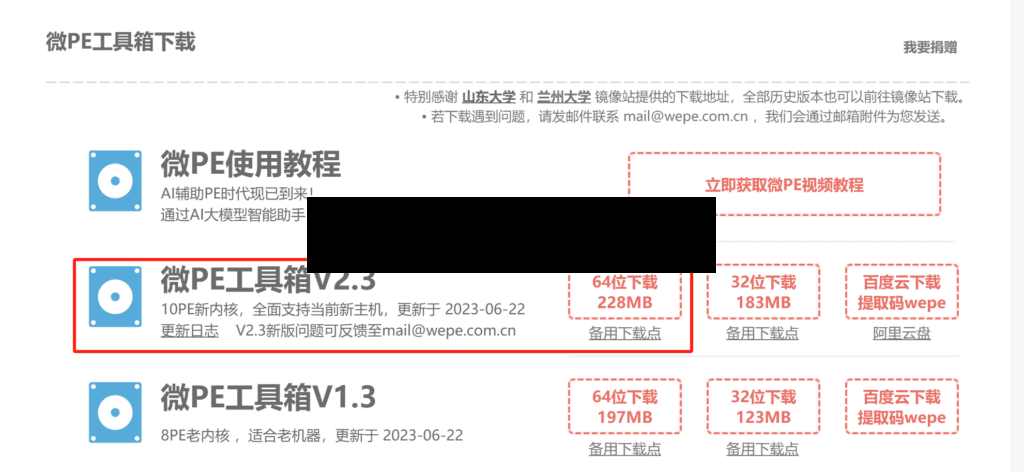
Use a tool such as Rufus to write the ISO file to a USB flash drive to create a boot disk. Or more conveniently, we can use the following micro-PE to make one

4. Installation of systems
Reboot your computer, enter BIOS setup, and adjust the boot order to USB Priority. Next, follow the installation wizard to complete the Windows 11 LTSC installation process.
5. Optimization settings
Once the installation is complete, you can further optimize system performance by turning off visual effects and adjusting power modes.
Notes on using Win11 LTSC
- No Microsoft Store support
Since LTSC does not include the Microsoft Store, users will need to download and install applications through other channels. - Suitable for specific user groups
LTSC is more suitable for users who require higher stability and less frequent updates, such as enterprises, researchers or individual users with limited budgets for hardware upgrades. - System security updates
Despite the low frequency of updates, users still need to install security patches in a timely manner to ensure system security.
summarize
Windows 11 LTSC opens a window for users of low-configuration computers to enjoy the modern features of Windows 11. Its lightweight design and long-term support strategy make it possible to revitalize even older devices. If you're looking for a Windows system for low-profile PCs, give Windows 11 LTSC a try and you'll be sure to revitalize your device!
Video detailed tutorial:https://youtu.be/L9yvOkdVG0U






 Lan Xiaobo (1952-1997), PRC politician Protocol Not Supported The client and server do not support the general SSL protocol version or cipher suite. This error is prompted
  kittyzero Hi, https://www.youtube.com/watch?v=eJUWQqCKfW0 I set it up and the extranet won't go out, not sure why, emailed you, thanks.
  ericjin211 Hi, tried this solution and found that foreign sites going through openclash proxy will not go through adguardhome, what could be the problem 🤔
  666 Tried the copy, no other problems, dns test has Hong Kong and Japan, not sure if it's a leak or not
  Loong2004 Hello, I feel that the program is very good, but the white hand is handicapped, can you have paid remote guidance, thank you!
  Chinese
  English
  Spanish
  French
  German
  Japanese
  Portuguese
  Italian
  Dutch
Dutch