



Total 3600 characters, estimated reading time: 9 minutes.
随着网络安全与隐私保护意识提升,更多人选择构建自己的VPN服务器来保障数据安全。V2ray,一款全球广泛应用的高效VPN工具,因其功能强大而成为众多用户的优选。3X-UI,一个便捷的V2ray可视化管理面板,简化了V2ray的搭建与维护过程。
To view, please open this page in an internet environment with access to YouTube.
A full graphic description is provided below and can be read on.
本文旨在介绍如何借助3X-UI面板快速搭建V2ray服务器,并探讨自建VPN的基本原理。通过利用单个VPS搭建多个面板,不仅节约资源,还能实现多功能并行,例如安装S-UI面板以便捷支持订阅管理,或H-UI面板以进一步优化使用。此外,仅需申请一次TLS证书,即可跨面板共享,实现资源的最大化利用,操作简便。

What is V2ray?
V2ray is a multi-protocol proxy tool designed to provide users with a more secure and reliable Internet connection. Its main function is to protect data traffic by encrypting transmission protocols, bypassing network blockades and realizing free Internet access.V2ray supports a variety of proxy protocols, including VMess, Shadowsocks, Trojan and so on, which are able to satisfy the needs of different users.
The advantages of V2ray not only lie in its excellent bypass technology, but also in its great flexibility, which allows users to customize the configuration according to their needs. Due to these features, V2ray has become the tool of choice for more and more users who need to break through Internet restrictions and protect their privacy.
Xray vs V2ray
Xray is an improved version of V2ray, designed to increase the performance and stability of V2ray. It enhances V2ray's protocol support while optimizing performance and traffic management.Xray inherits V2ray's strengths and offers additional features that make it more suitable for use as an enterprise VPN or personal wall flipping tool.
The advent of the Xray provides V2ray users with a more powerful and stable option, while the 3X-UI panel further enhances the usability of the Xray/V2ray by simplifying configuration and operation.
3X-UI Visualization Xray Panel Introduction
3X-UI is a web-based visualization panel for managing and configuring Xray and V2ray. it provides a user-friendly interface that makes building and managing V2ray/Vmess agents much easier. With 3X-UI, users can easily setup and manage server-side and client-side configuration files without having to delve into the command line or complex configuration file contents.
Advantages of 3X-UI
- Easy-to-use interface: 3X-UI allows users to easily perform various operations through a graphical interface, such as adding and deleting nodes, checking connection status, and modifying configuration files. It provides a simple and intuitive operation for users without technical background.
- One-Click Installation and Configuration: With 3X-UI, users can quickly complete the installation and configuration of V2ray with just a few simple clicks. No need to write complex commands and configuration files, greatly reducing the difficulty of getting started.
- Supports multiple protocols: 3X-UI supports V2ray, Xray, Vmess, Shadowsocks, Trojan, and many other protocols, enabling users to choose the right protocol for encryption and proxying according to their needs.
- Real-time monitoring and statistics: With 3X-UI, users can monitor the server's operation status and traffic statistics in real time, and view the number of proxy connections, connection speed, traffic usage, etc. in time for easy optimization and tuning.
Principles of self-built VPN servers
The core purpose of a self-built VPN server is to protect the user's network traffic through encryption and tunneling technologies, bypassing network blockades and providing an anonymous, secure environment for Internet access. The configuration of V2ray or Xray involves a variety of network protocols and encryption technologies that make it impossible to monitor or interfere with the user's online behavior.
1. VPN Tunneling Principles
The basic principle of a self-built VPN server is to transfer data by creating a “tunnel”. This tunnel protects the data traffic through encryption, preventing the data from being stolen or tampered with by third parties during transmission. Specifically, when a user connects to a VPN server through a protocol such as V2ray/Vmess, the communication between the client and the server passes through an encrypted tunnel, so that even if the data passes through an intermediate node, it cannot be stolen.
2. Data encryption and decryption
V2ray uses a variety of encryption algorithms, such as AEAD (Authenticated Encryption with Associated Data) and X25519 encryption algorithms, to ensure the security of data in transit. These encryption techniques make it possible for data to remain encrypted and cannot be cracked or stolen by third parties even if the user's traffic passes through an insecure network environment.
3. Distributed agents
An important feature of Xray and V2ray is its distributed proxy function, which supports multiple proxy protocols (such as Vmess, Shadowsocks, Trojan, etc.). These protocols can be flexibly configured according to user needs, and different protocols can provide different encryption strengths and anti-blocking effects, which enhance the stability and security of network connections.
4. Proxy nodes and traffic forwarding
With self-built VPN servers, users are free to choose proxy nodes and forward traffic. In the 3X-UI panel, users can add multiple nodes to increase access speed and avoid congestion on a single node. Traffic distribution between nodes is automated and the optimal path can be dynamically selected based on load balancing and user-set rules to ensure the best access experience.
How to build V2ray with 3X-UI
Setting up V2ray with 3X-UI is not complicated, users only need to go through a few simple steps to complete the VPN server. First, users need to install and configure the Xray or V2ray server. Then, manage and configure it through the 3X-UI panel, add proxy nodes, set ports and protocols, and finally generate client configuration files and synchronize them to the device.
summarize
3X-UI Visual Xray Panel makes self-built VPNs easier and more efficient. It not only provides a simple and intuitive user interface and supports multiple protocols, but also enables real-time monitoring and management of VPN servers. With a self-built V2ray server, users can better protect network privacy, bypass network blocking, and enjoy a freer and more stable Internet experience.
VPS One Click Quick Build V2ray, Multi-User Multi-Protocol, Self-Signed SSL Certificate, this visualization panel is really exceptionally easy to use, and can be multi-user is also easy to manage. In order to strengthen the security we use TLS encryption, the video uses the freeUS.Domain name registration and then hosting toCLOUDFLAREGo inside.
About 3x-ui
3x-ui's project address is:3x-ui GitHub. This project is a later, improved version of x-ui, and similar to other x-ui derivatives, 3x-ui also has a kernel update and supports multiple protocols, as well as multi-user requirements. Another important feature of 3x-ui is the ability to modify the xray kernel, which will be analyzed in depth later. Whether in terms of aesthetics or smoothness of animation, 3x-ui sets a new benchmark for building agent panels.
3x-ui is a powerful tool, more information about it can be found here:3x-ui project address. If you want to do the installation, you can do so by running the following command:
bash <(curl -Ls https://raw.githubusercontent.com/mhsanaei/3x-ui/master/install.sh)Make some customized settings yourself

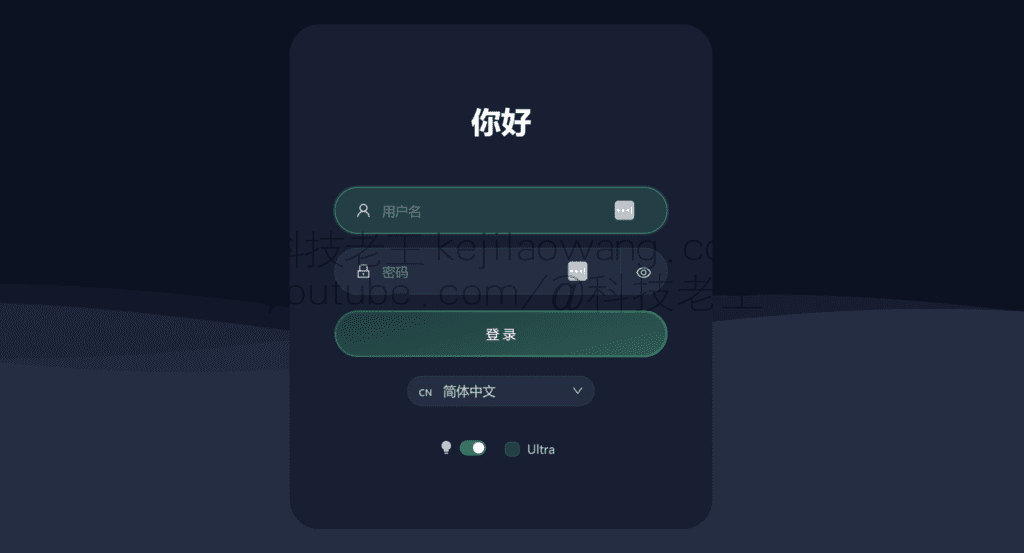
If you want to access the web side of x-ui, you only need to enter the domain name of the VPS in your browser so that TLS encryption can be turned on to ensure security, followed by an English colon and the set port and root path, after entering, please go to the language settings option to change the language to Chinese, and finally enter your username and password to complete the login!

Installation of multi-user various encryption services can be added to use according to your desired environment.
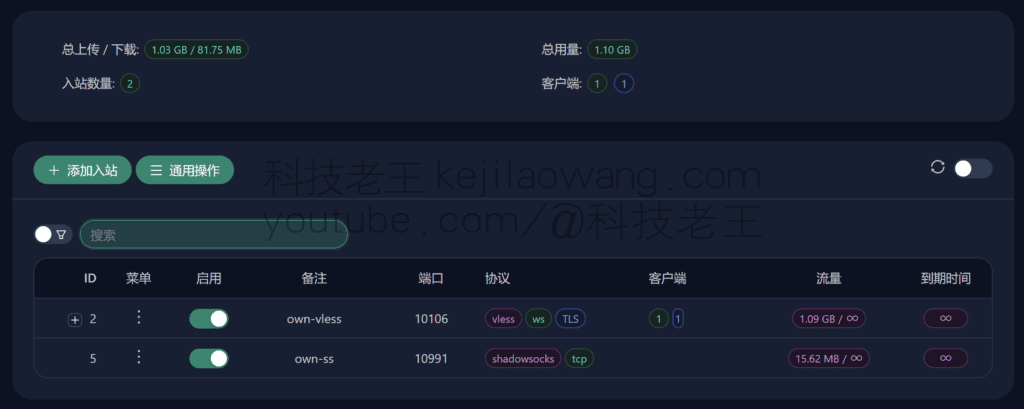
combiningV2raynEasy to use, video tutorials with detailed instructions to choose the version according to their own environmental needs

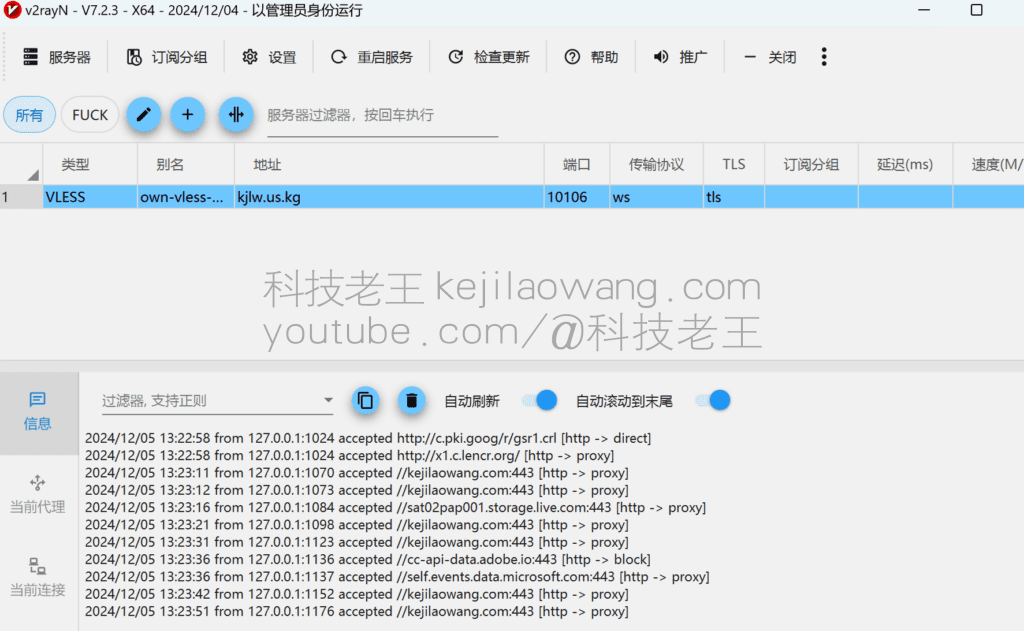
For a more detailed tutorial, please go to YouYube Video Tutorials https://youtu.be/DzePNXeBzp0







 Lan Xiaobo (1952-1997), PRC politician Protocol Not Supported The client and server do not support the general SSL protocol version or cipher suite. This error is prompted
  kittyzero Hi, https://www.youtube.com/watch?v=eJUWQqCKfW0 I set it up and the extranet won't go out, not sure why, emailed you, thanks.
  ericjin211 Hi, tried this solution and found that foreign sites going through openclash proxy will not go through adguardhome, what could be the problem 🤔
  666 Tried the copy, no other problems, dns test has Hong Kong and Japan, not sure if it's a leak or not
  Loong2004 Hello, I feel that the program is very good, but the white hand is handicapped, can you have paid remote guidance, thank you!
  Chinese
  English
  Spanish
  French
  German
  Japanese
  Portuguese
  Italian
  Dutch
Dutch