



Total 1745 characters, estimated reading time: 5 minutes.
We have previously used this in aTen Dollar VPSInstalled on the3X-UIcap (a poem)S-UIAnd then to preventUS.KG free domain nameWe re-installed multiple panels for one VPS to use, and we changed the domain name in 3X-UI, and then when we reused the S-UI panel again, we found that when we logged into the S-UI management interface, we found that we could not see the panel's login path, and it did not show the IP address of the VPS or its bundled second-level domain name, and it did not show the domain name of the previous US.KG. KG domain name is also not displayed.
To view, please open this page in an internet environment with access to YouTube.
A full graphic description is provided below and can be read on.
Detailed video tutorials can be opened if the playback failsyoutube technology old king
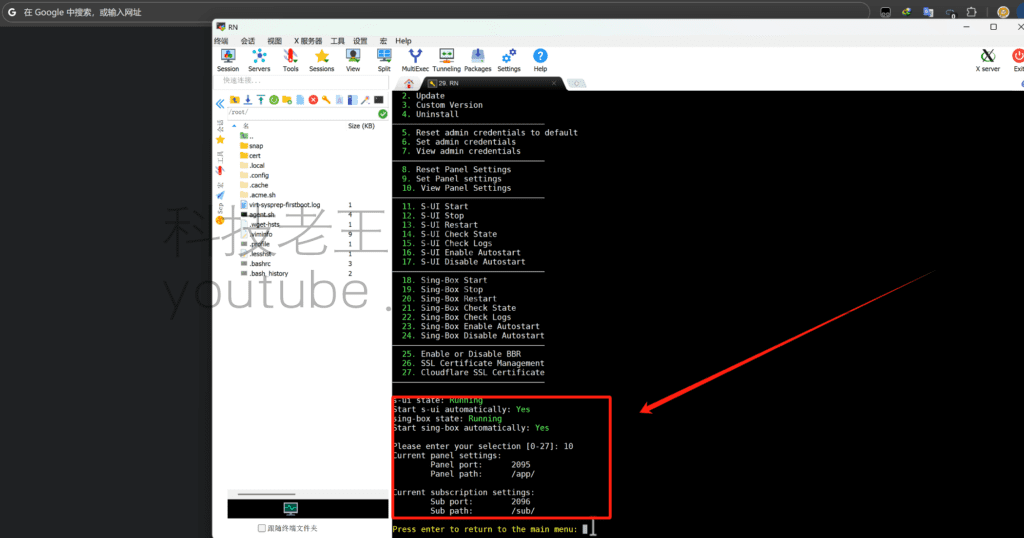
We have manually used the domain name and IP address plus port and path, are not successfully logged in, of course, the easiest way that is to reset and reinstall the S-UI panel, but the result is that we have lost the configuration of the previous node, we need to retain as much as possible the configuration of the node, so we need to do further attempts to explore to solve this problem.

We reinstalled the certificate once, of course, prompted the certificate already exists, which is inevitable, already we have in the previous article for this domain name we have applied in the 3X-UI, prompted the domain name certificate already exists do not need to do to re-reapply, and then we used theForce Renew The third option forces the certificate to be renewed.These two operations were successful, when we we also in the background also can not log in the panel can not see the IP.

So what, we continue to be undeterred, wanting to keep the panel node configuration on the idea we continue to try, over and over again, to
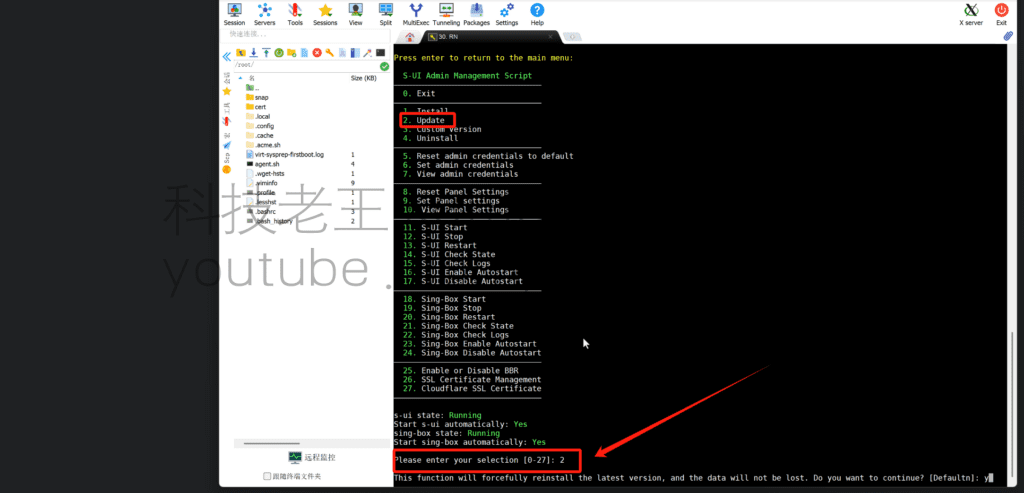
We used update to update the panel, then reconfigured the ports and the panel path, and the IP address magically appeared, and apparently we were able to log back into the panel as well!

All the configuration nodes are in, we do need just need to update the panel of the certificate path has been the panel of the domain name login bundle, to ensure that our panel login TLS encrypted security, to protect the VPS in the process of using the VPS not to be attacked has been cracked login.
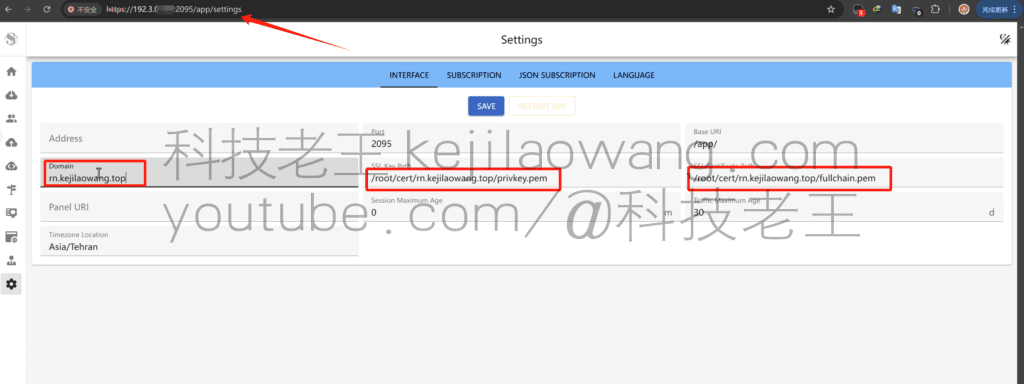
This is the status of a login after the panel has been encrypted, HTTPS logins do not indicate a dangerously insecure status
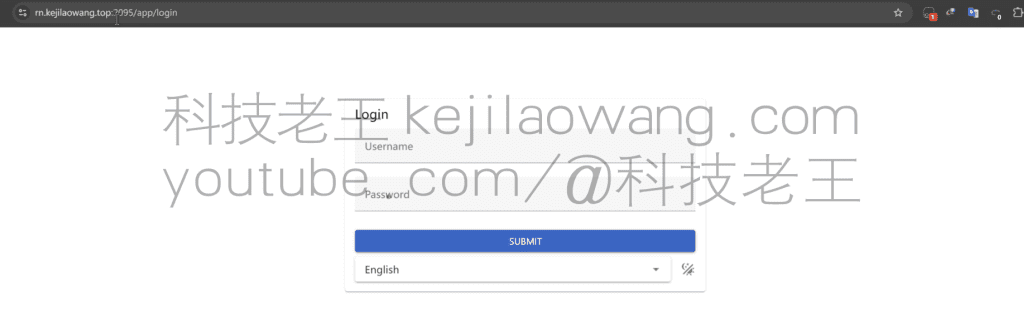
We then write the path to the TLS certificate that the node needs to apply to the panel, in order to allow the nodes that are already using it to update it.
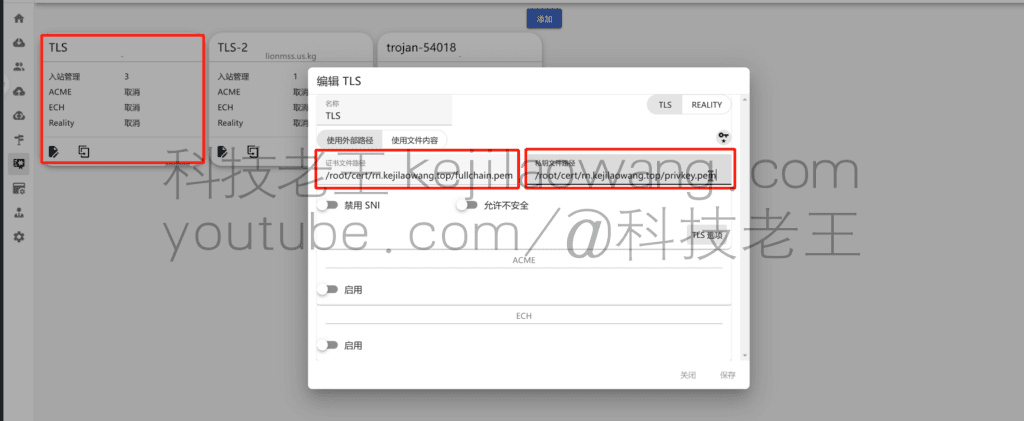
Eventually it nodes can be used normally, we are again restored to the same VPS installed 3X-UI and S-UI public, set a domain name certificate to use, we retained the previous node configuration do not repeat the installation, encountered the same problem, the certificate renewal has been if you can not log in it, we have been so to try to do it, I hope to solve your problem.
Later on, when there are enough nodes as well as encryption methods, we can also use SU'sOne-click subscription to multiple nodes and third-party nodes with subscription addressesCentralized management is easier to use.
If you wish to understand in more detail the multiple uses of a VPS, what about visualizing the installation panel, you can watch theMy ChannelOr watch meSetup VideoThe







 Lan Xiaobo (1952-1997), PRC politician Protocol Not Supported The client and server do not support the general SSL protocol version or cipher suite. This error is prompted
  kittyzero Hi, https://www.youtube.com/watch?v=eJUWQqCKfW0 I set it up and the extranet won't go out, not sure why, emailed you, thanks.
  ericjin211 Hi, tried this solution and found that foreign sites going through openclash proxy will not go through adguardhome, what could be the problem 🤔
  666 Tried the copy, no other problems, dns test has Hong Kong and Japan, not sure if it's a leak or not
  Loong2004 Hello, I feel that the program is very good, but the white hand is handicapped, can you have paid remote guidance, thank you!
  Chinese
  English
  Spanish
  French
  German
  Japanese
  Portuguese
  Italian
  Dutch
Dutch